
HotelXray Blog
HotelXray: Compare IHG Rates and Reward Nights at a Glance
HotelXray adds IHG alongside Hyatt, Marriott and Hilton. Compare cash rates, Reward Night points and redemption value, and set alerts, in one side panel.
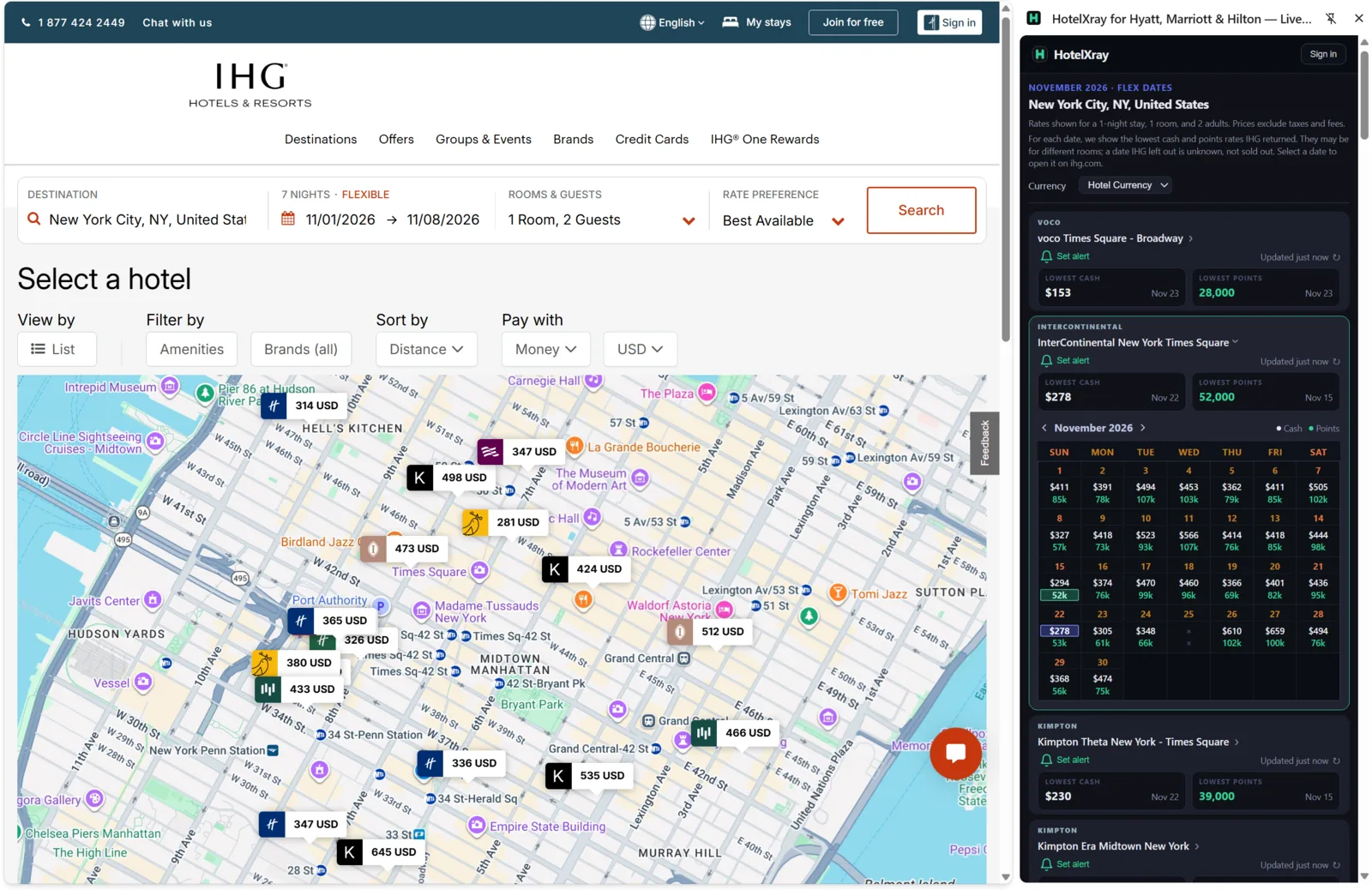
HotelXray now supports IHG alongside Hyatt, Marriott and Hilton. The same Chrome extension brings cash rates, IHG One Rewards points and alerts to ihg.com. Existing users can enable IHG access in the latest version and use HotelXray on every supported website.
IHG prices Reward Nights by date and by room, so the points price for the same hotel can swing widely across a month. HotelXray puts those prices next to the cash rate for each night, so you can see when points are worth spending.
Compare an entire month
On an IHG hotel page, HotelXray shows a monthly calendar with the points price, the cash rate and the cents-per-point value for each night. Stronger redemption values are shaded green, so the dates worth a closer look stand out as results load.
Each night shows the lowest Reward Night at the hotel and the cash rate for that same room. When another room is cheaper in cash, the rate carries a *. Cash rates are IHG’s member rates, the price you see when signed in, with fees included.
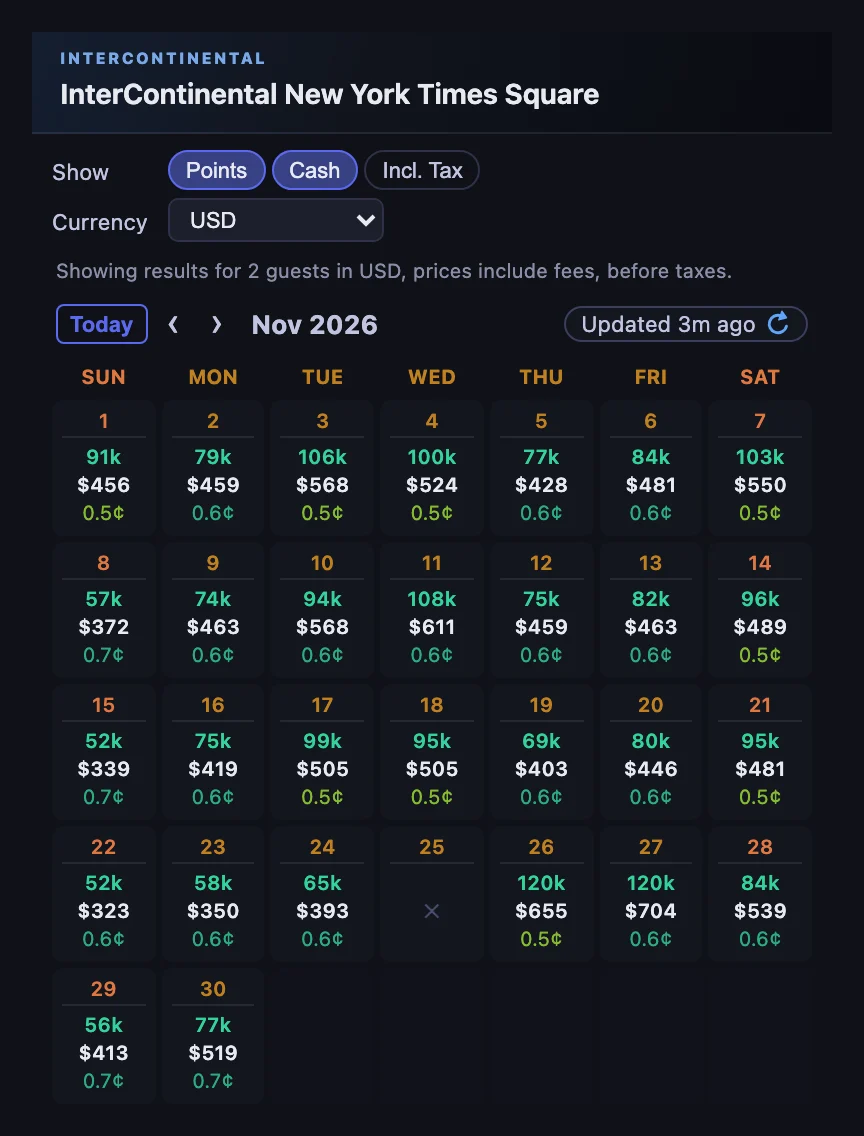
Refresh rates whenever you need a fresh check. On-demand refreshes are free, with no quotas or credits to manage.
Explore rooms and rates
Open a date to see every room IHG offers that night, cheapest cash first. Each room shows its cash rate, its Reward Night points price and the CPP between the two. Because IHG prices each room’s Reward Night separately, CPP uses that room’s own cash rate, so a premium room is judged against the room it actually buys.
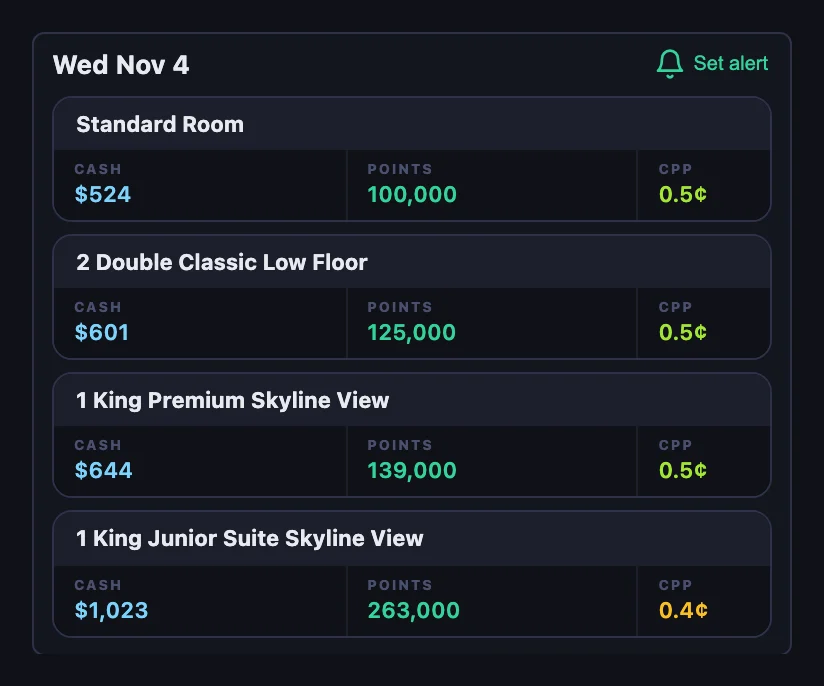
Show points and cash together or on their own, and include taxes when you want the full price. Choose a display currency, or keep the hotel’s own. HotelXray converts prices with IHG’s own exchange rates.
Compare hotels from the search page
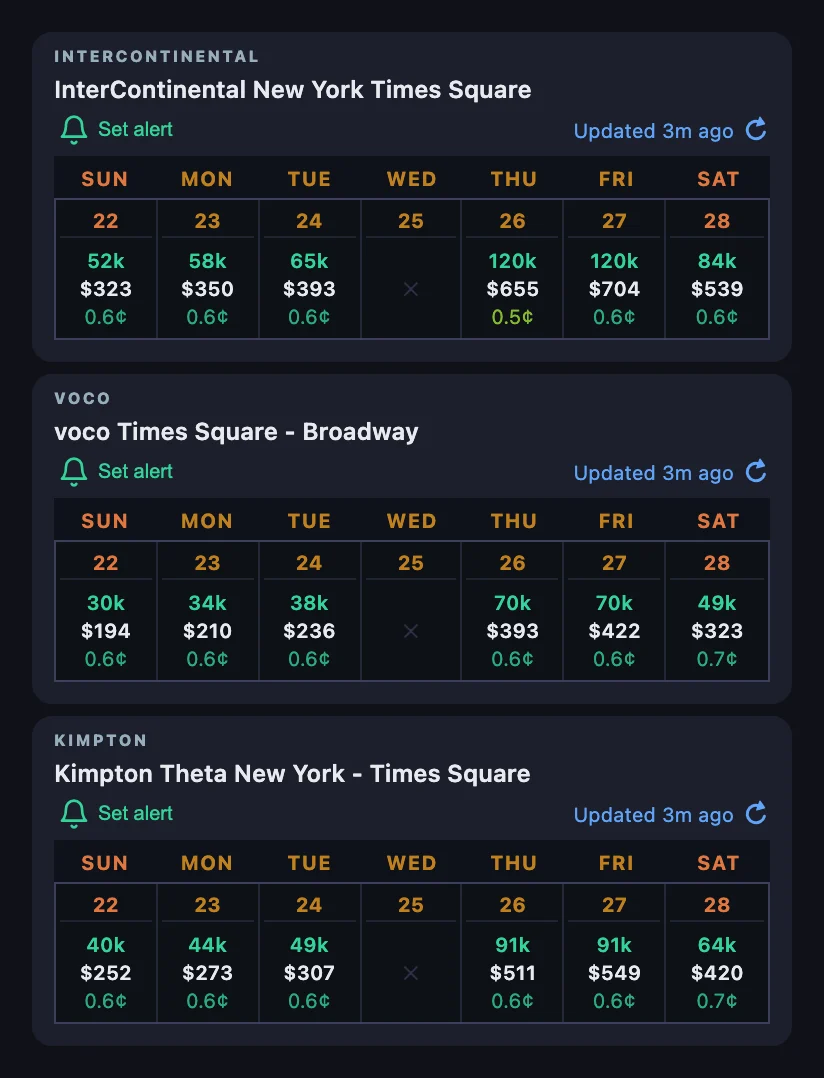
HotelXray also works alongside IHG search results. Each hotel in the panel shows a week of points, cash and redemption values for your dates, so you can compare the hotels you’re considering without opening every listing. Sold-out nights are marked with ✕.
When you search IHG with flexible dates, each hotel shows its lowest cash rate and lowest points price for the month, with the date each one falls on. Open a hotel to see the whole month at once, then select a date to open it on ihg.com.
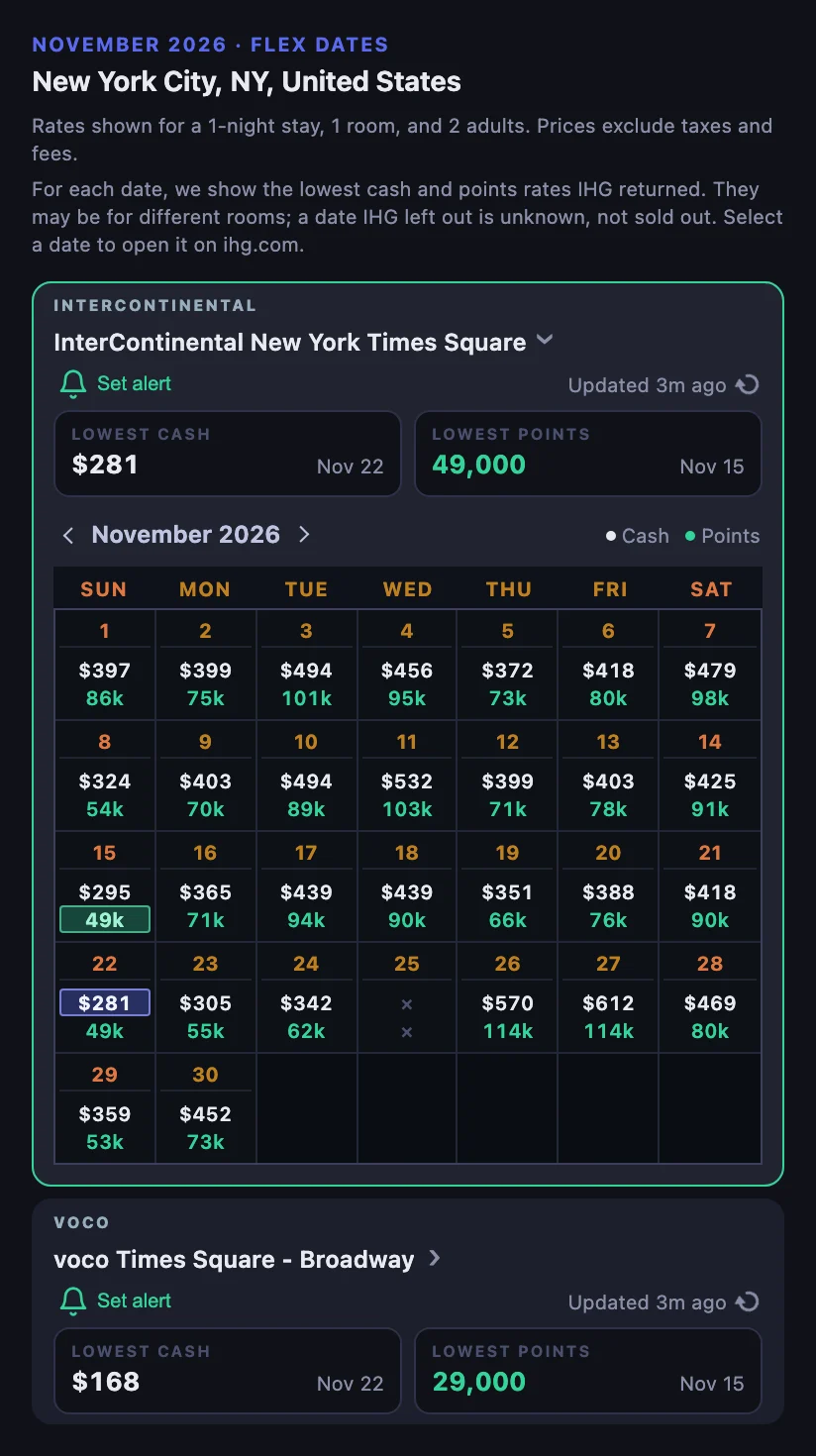
On flexible dates the lowest cash and lowest points for a night can belong to different rooms. A date IHG leaves out is unknown, not sold out.
Set rate and award alerts
When the Reward Night you want costs too much, or the cash rate is still above your budget, set an alert from a hotel result or calendar date. HotelXray keeps checking after you close the browser.
Watch for a Reward Night, with an optional points budget for the stay, or for a cash rate below your price. Watch exact or flexible dates, or any single night within a range, and keep watching after the first match to hear about another price drop.
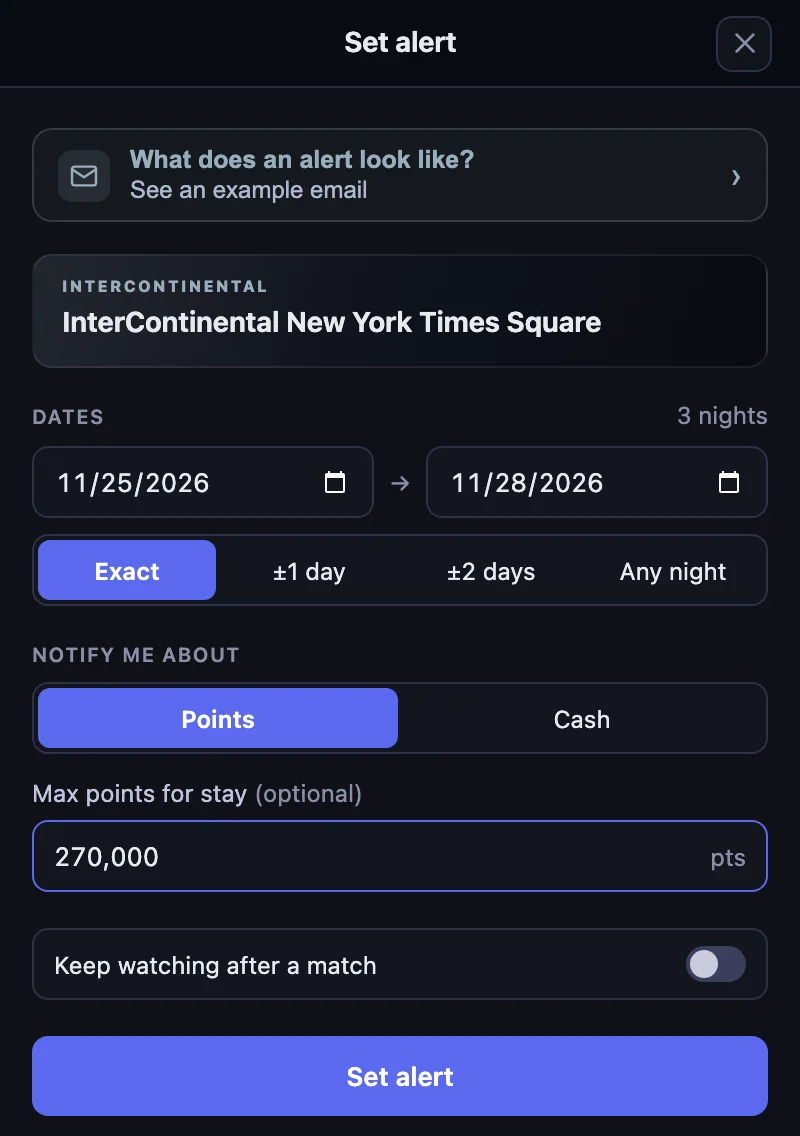
Every alert includes an Alert check log showing when each check ran, what it found, and which results matched. Match emails include the stay, the points or rate found, and a direct booking link.
Follow one example from setup to booking in Catch an IHG Reward Night Price Drop: Alerts That Show Every Check.
Get started
Existing users can update HotelXray to the latest version and enable IHG access in the side panel. New users can install HotelXray, then choose the hotel programs they want before browsing the supported websites.
Comparing rates and exploring rooms are free, with no HotelXray account required. Your email address is enough to save alerts and receive notifications. HotelXray never asks for your IHG password or IHG One Rewards credentials.
See more when you search Hyatt, Marriott, Hilton or IHG
Compare cash and points across the month, check lounge details, and create rate or award alerts.
Add HotelXray to Chrome