
HotelXray Blog
HotelXray: Compare Hyatt Rates, Awards and Upgrades at a Glance
See a month of Hyatt cash rates, points, upgrades, club lounges and award alerts together in one Chrome side panel.
Last updated
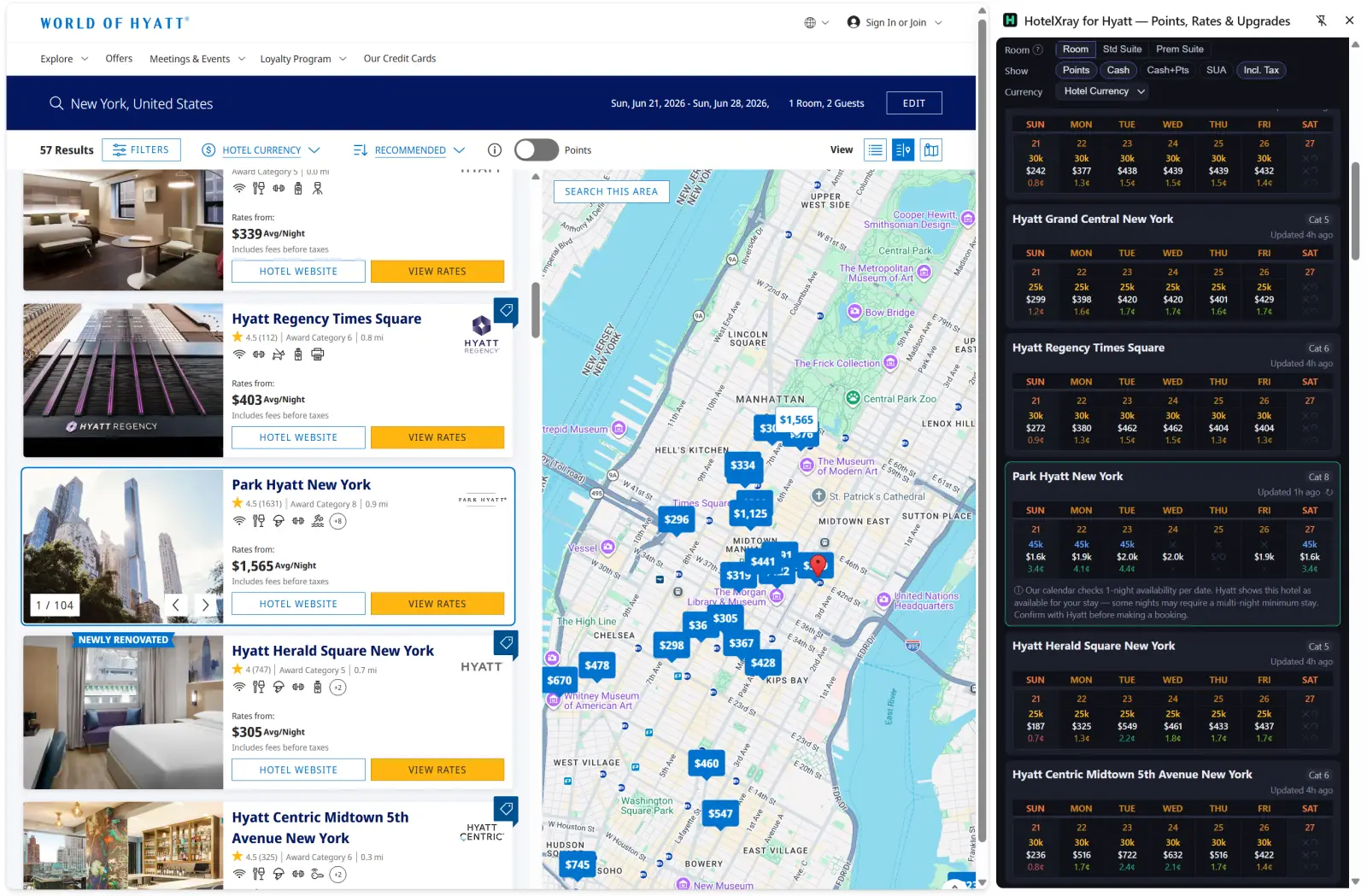
HotelXray puts a month of Hyatt cash rates, points prices, cents-per-point values, suite options, club lounge details and alerts beside hyatt.com. Compare dates and hotels without opening every rate screen one by one.
Use the side panel to find better dates, choose between cash and points, and keep watching a stay until the price works. HotelXray also supports Marriott, Hilton and IHG in the same extension.
Compare an entire month
On a hotel page, HotelXray organizes available dates into a monthly calendar. Each date shows the points price, the cash rate for the same room and the cents-per-point value between them.
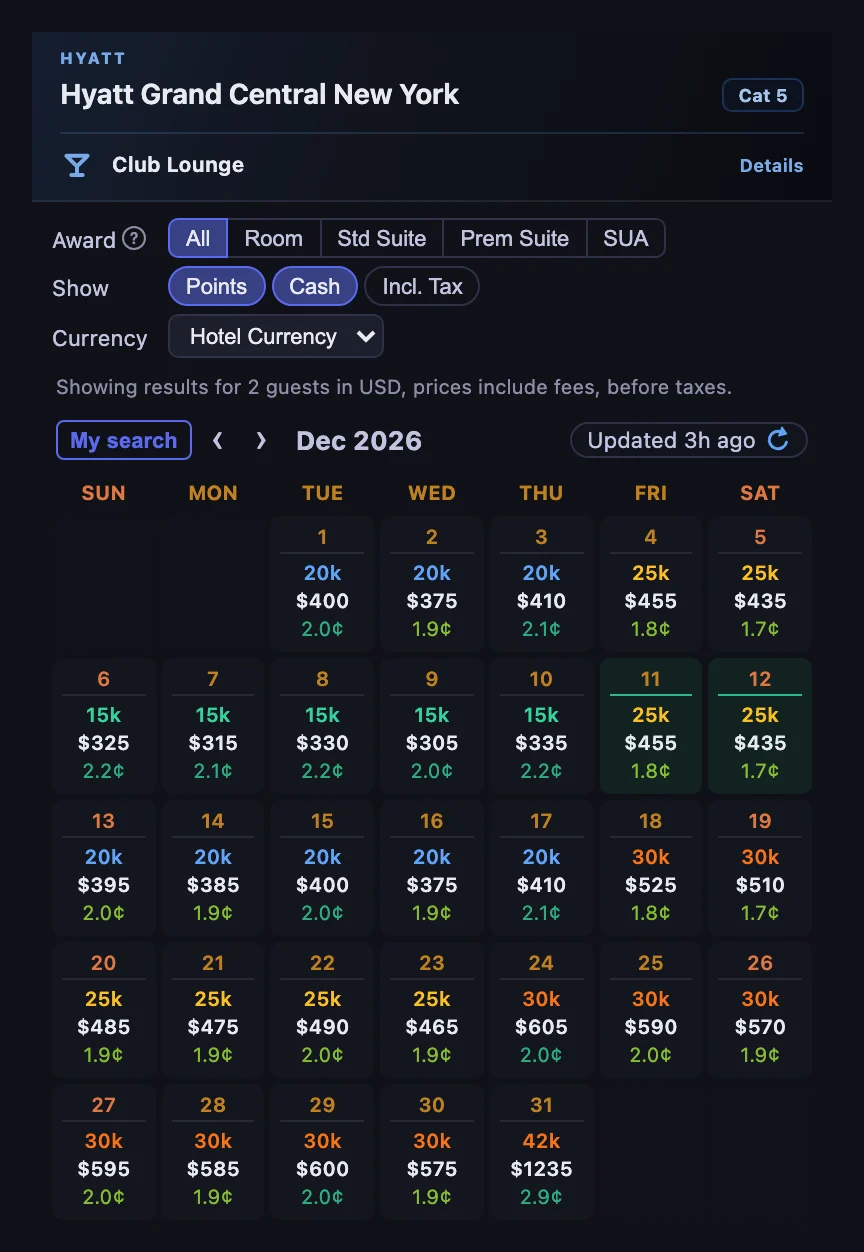
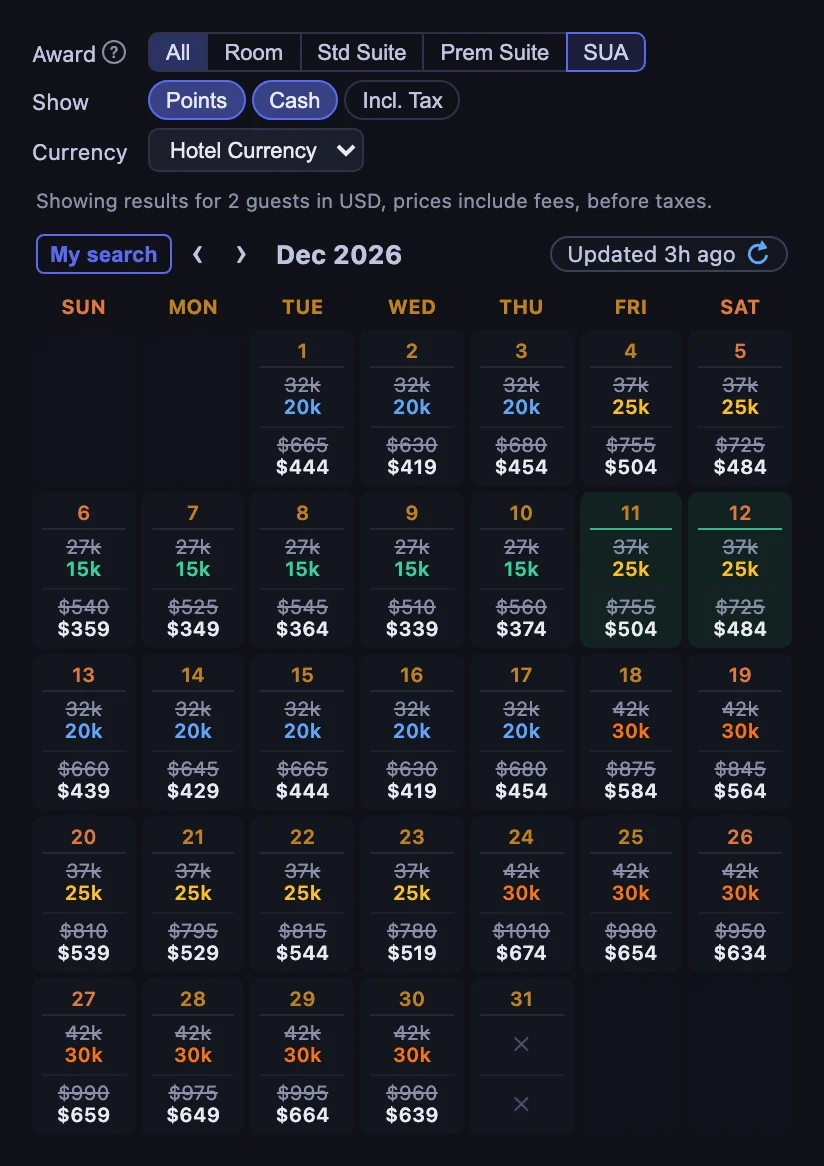
The Award tabs above the calendar switch what each date shows: All for the cheapest award of the night, Room, Std Suite or Prem Suite for one room type, and SUA for nights where a Suite Upgrade Award is available, with the suite’s own price struck through above what it costs with the upgrade. You can also hide points or cash, include taxes, and convert cash prices into another currency. Dates where an award is unusually good value, or where paying cash is the better choice, stand out quickly.
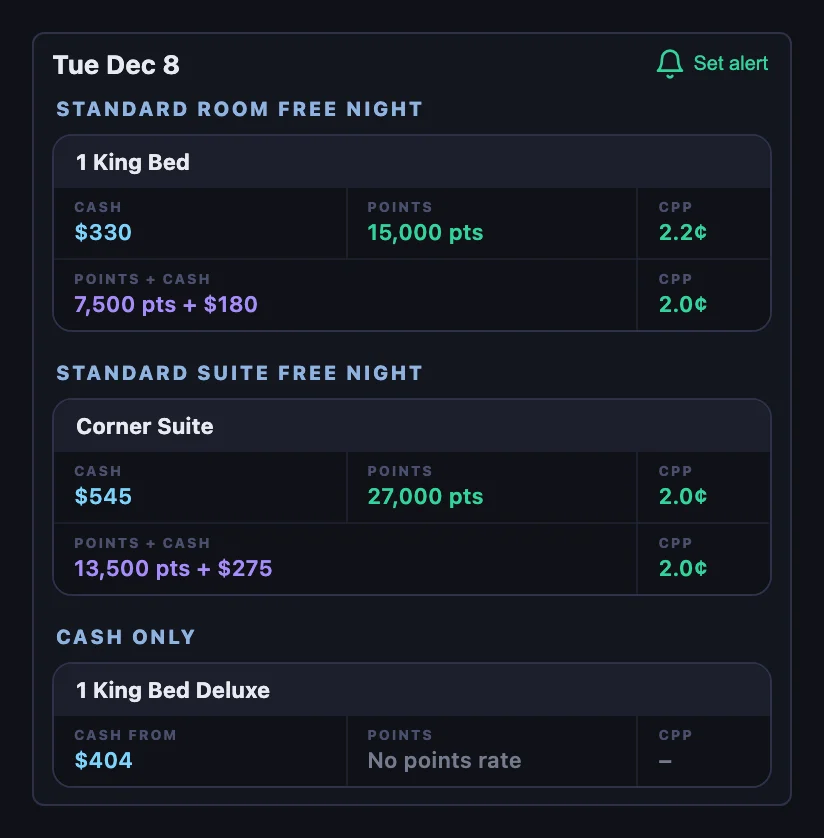
Select a date to see that night’s rooms, grouped by award type, with each room’s cash rate, points price, CPP and Points + Cash price where Hyatt offers one.
HotelXray fetches current rate and availability information as you browse. You can also refresh a hotel or date on demand.
Compare hotels from the search page
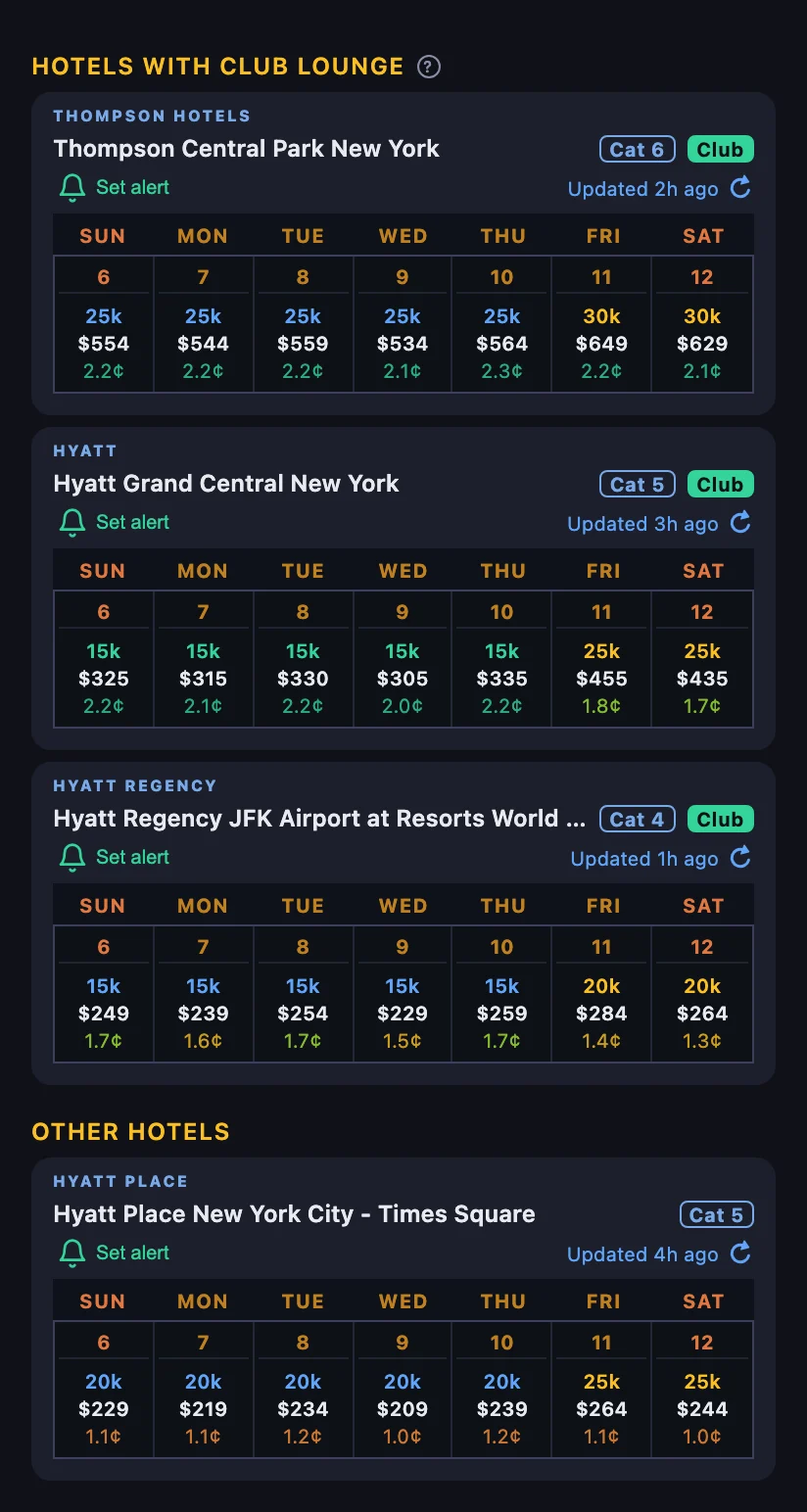
HotelXray also works alongside Hyatt search results. The side panel displays a compact calendar for each result so that you can compare nearby hotels over the same dates without opening every property individually.
Hotels with a researched club lounge are grouped above the other results. Find lounge hotels quickly when your stay includes access through status, a Guest of Honor booking or a Club Lounge Access Award.
Research club lounges before choosing a hotel
Find out whether a lounge offers a quick breakfast, a full evening spread or a quiet place to work. HotelXray’s free lounge reports bring together:
- Location and operating hours
- Breakfast service
- Evening food and drinks
- Service days and known closures
- Guest restrictions and extra charges
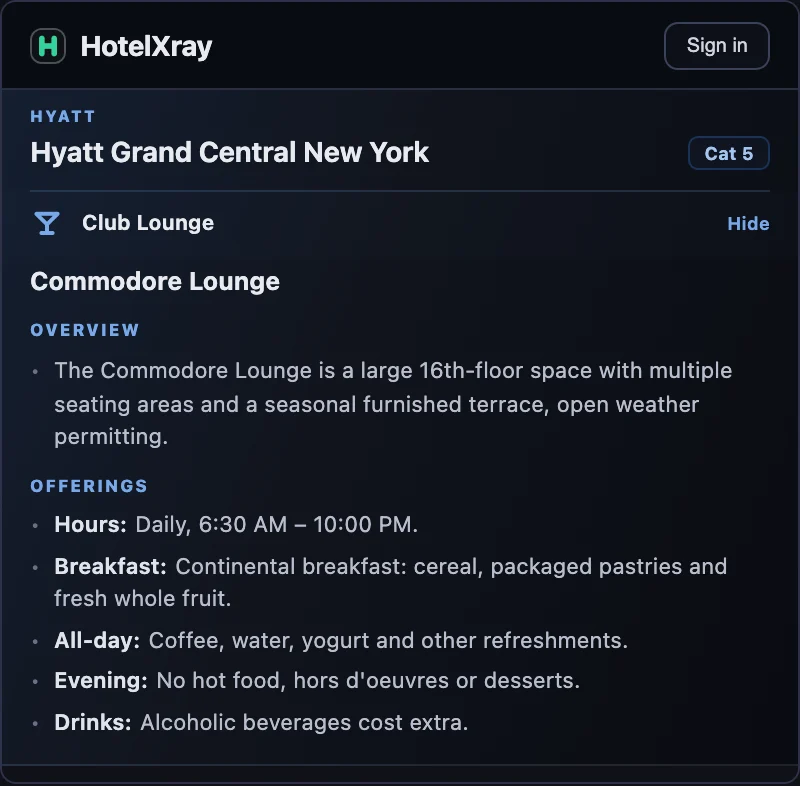
The Hyatt club lounge guide explains access options and how to compare the value of different lounges.
Set rate and award alerts
When the right room or award is not available yet, HotelXray can continue checking after you leave the Hyatt website.
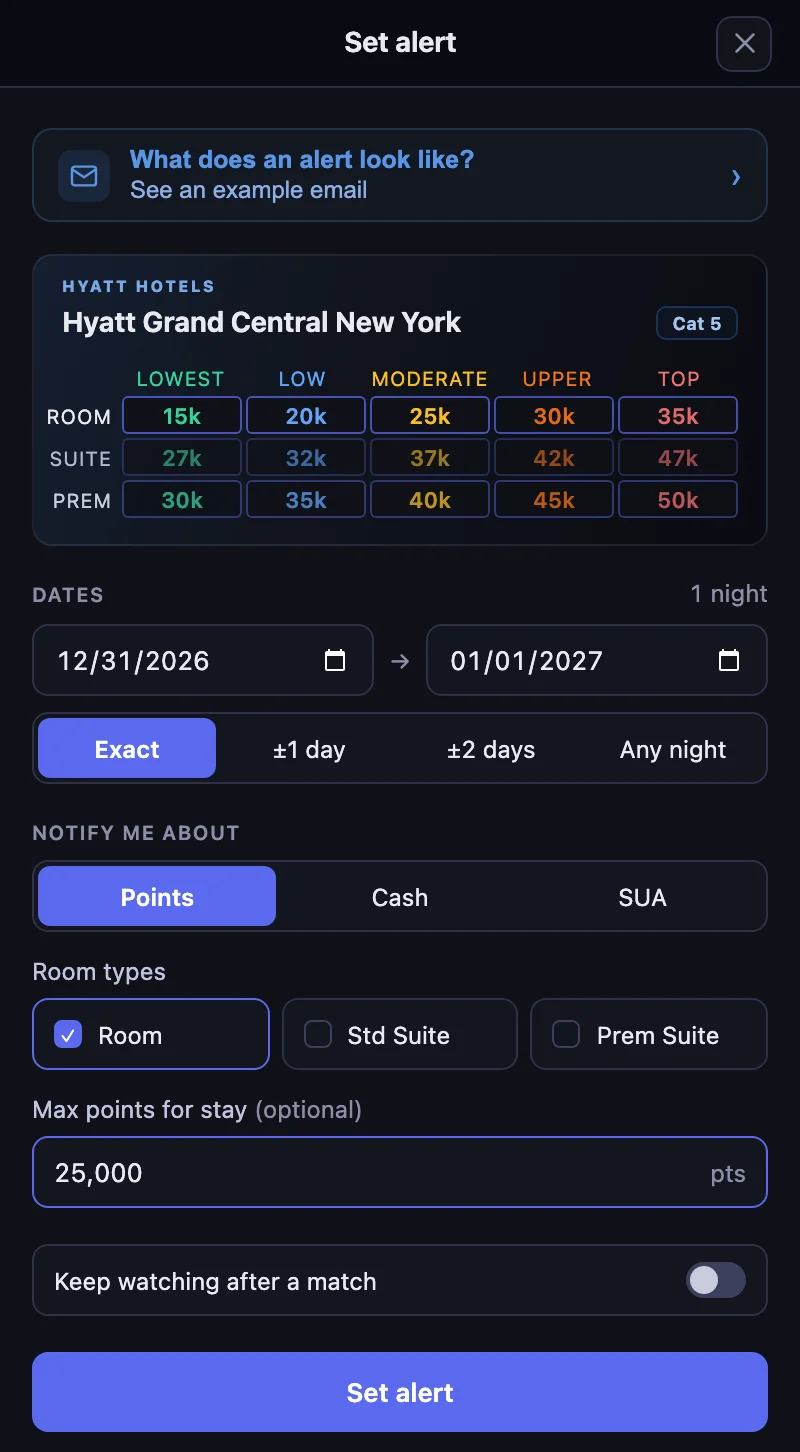
Watch for a points stay in the room types you choose, a cash rate below your price, or a Suite Upgrade Award. Watch exact or flexible dates, or any single night within a date range, and keep watching after the first match to catch another price drop.
Every alert includes an Alert check log showing when each check ran, what it found, and which results met your conditions.
When HotelXray finds a match, it sends an email with the observed result and a direct booking link.
The guide Stop Refreshing Hyatt: Rate and Award Alerts That Show Every Check follows one alert from setup through its check log and match email.
Recover when Hyatt opens to a blank page or white screen
Hyatt occasionally opens to a blank page or white screen in Chrome. HotelXray detects the problem and offers a one-click Fix it now action designed to keep you signed in.
The illustrated guide Hyatt Website Blank in Chrome? Two Ways to Fix the White Screen covers both the HotelXray prompt and a manual Chrome fix without HotelXray.
No Hyatt password required
Start comparing dates, rates and lounge details without creating a HotelXray account. Your email address is enough to save alerts and receive matches. HotelXray never asks for your Hyatt username or password.
See more when you search Hyatt, Marriott, Hilton or IHG
Compare cash and points across the month, check lounge details, and create rate or award alerts.
Add HotelXray to Chrome