
HotelXray Blog
Stop Refreshing Hyatt: Rate and Award Alerts That Show Every Check
Set a Hyatt points, cash or Suite Upgrade Award alert, choose room types and flexible dates, see every check, and get an email when HotelXray finds a match.
Last updated
The award you want is gone, or the cash rate is still too high. You could rerun the same Hyatt search every few hours for the next three weeks. Or set one alert and let HotelXray watch the dates.
An alert watches one thing: a points stay, a cash rate, or a Suite Upgrade Award. You get an email when a check finds it, and the check log shows every result along the way. Alerts live in the HotelXray side panel, next to your rate comparisons.
Step 1: Open the alert form
Start with a hotel you are already looking at. There are two bells that open the form.
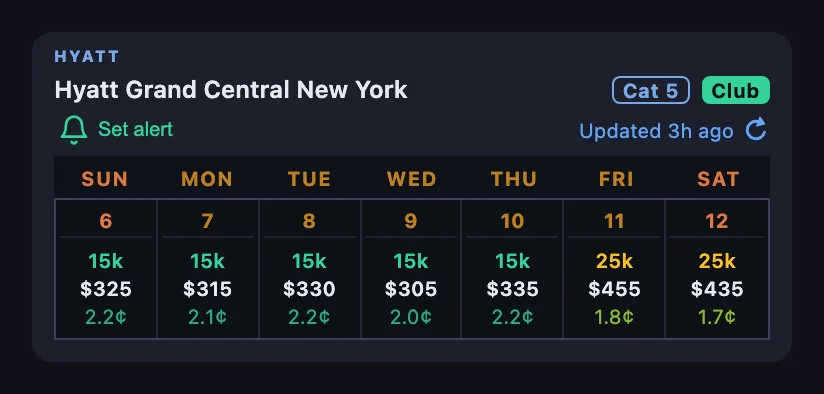
On a search result, the bell sits under the hotel name, next to its category and club badges. Its tooltip reads Set alert for this hotel.
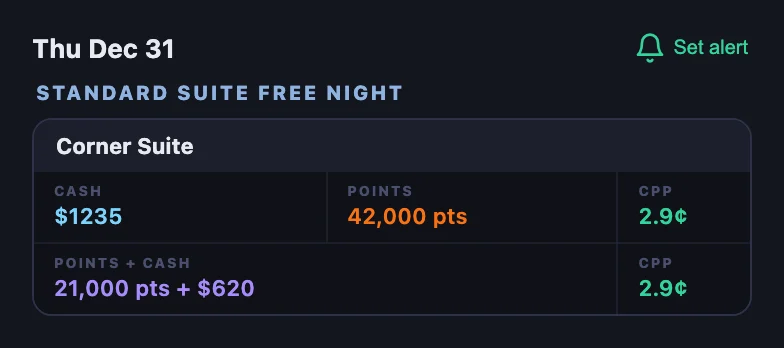
In a hotel’s calendar, select a night. The bell sits in the header of that night’s room list, and its tooltip reads Set alert for this night.
Both bells open the same form. If you aren’t signed in, the form asks for your email address and sends you a code; enter it in the form and the alert is saved. HotelXray never asks for your World of Hyatt credentials.
Step 2: Set up the alert
The example below watches Hyatt Grand Central New York for New Year’s Eve, December 31, 2026, for a standard room at 25,000 points or less. That is the hotel’s Moderate price in Category 5.
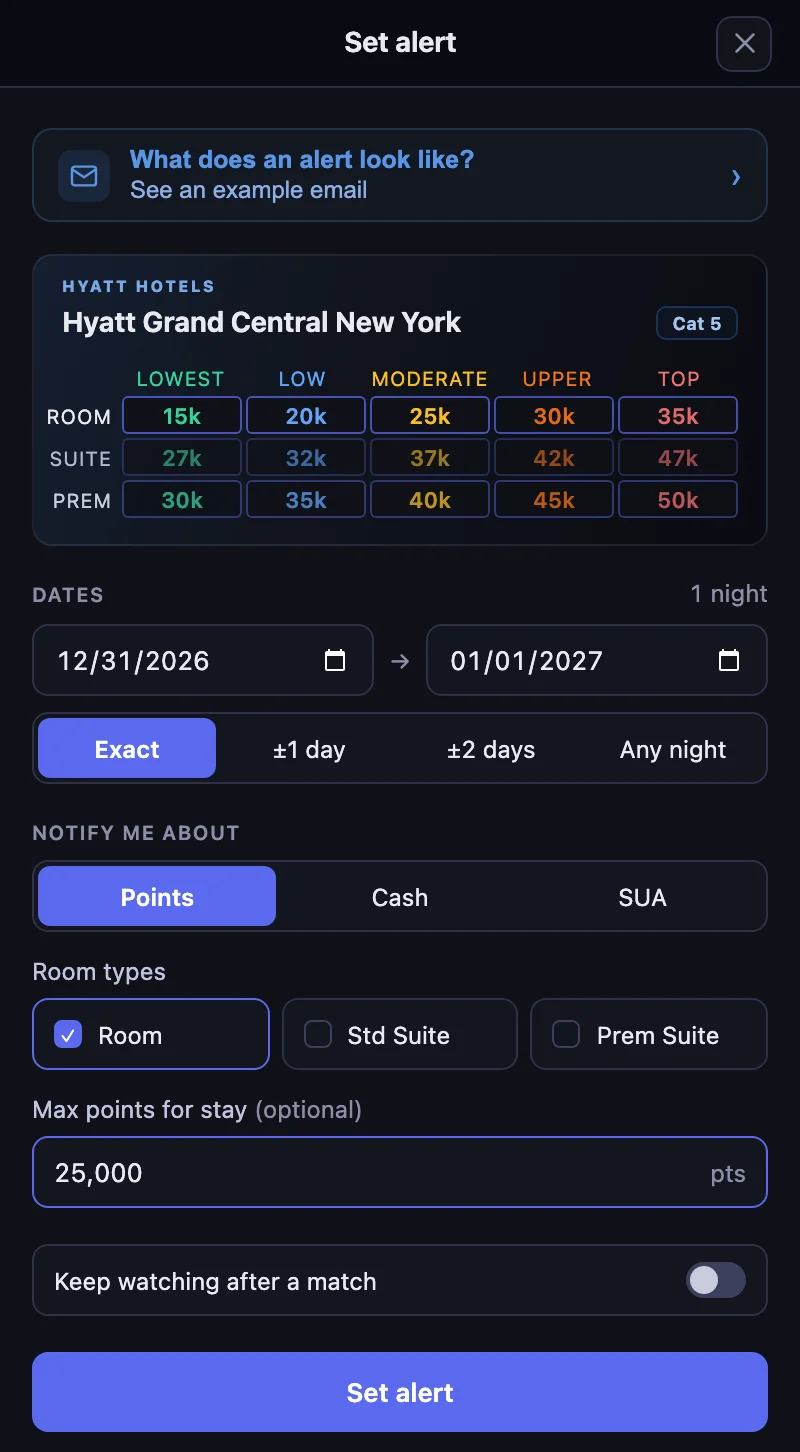
The form opens with the hotel’s award chart. The rows follow the room types you check, and with a points limit set, the prices a stay can’t fit under it fade out. The chart’s prices are per night.
Dates
Pick the check-in and check-out dates, then one of four choices:
- Exact watches only those dates.
- ±1 day and ±2 days also watch stays that start a day or two earlier or later, with the same number of nights.
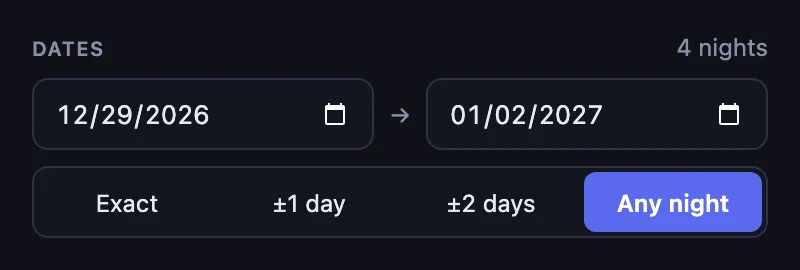
- Any night watches every single night between the two dates, up to 7 nights. Use it when one night at a hard-to-book hotel is enough and the date can move.
A stay can be up to 30 nights.
Notify me about
Choose one thing to watch:
- Points emails you when a points stay opens up in the room types you check: Room, Std Suite, Prem Suite, or any mix. Add Max points for stay to wait for a price you’re happy with. On Any night, the limit is per night.
- Cash emails you when the hotel can be booked with cash, or when the nightly rate drops below the Max nightly rate you set. The rate includes fees and is before taxes, in the currency you choose.
- SUA emails you when a Suite Upgrade Award is available on a points stay, a cash stay, or both.
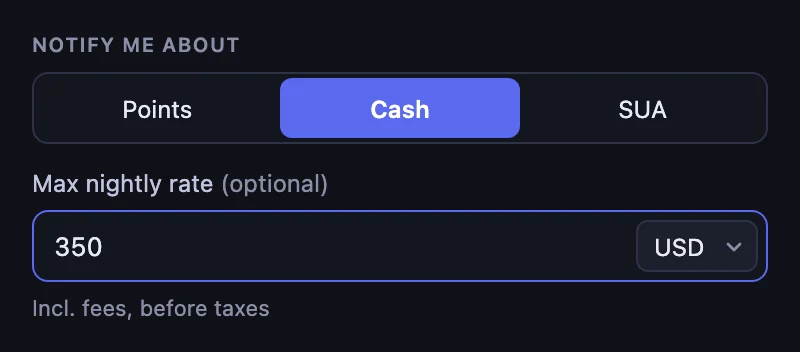
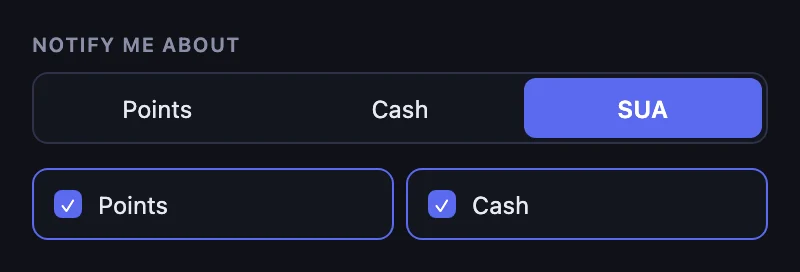
Each alert has one trigger. To watch both the points price and the cash rate for the same stay, set two alerts.
Keep watching after a match
With this switched off, the alert emails you once and stops. Switch it on to keep getting emails when the price or availability changes after the first match, which helps when you’ve booked a refundable rate and want to hear about a better one.
Select Set alert to save. HotelXray sends a short confirmation email, and the panel opens your list of alerts.
Step 3: HotelXray checks the dates and logs every check
You can close the tab. HotelXray keeps checking your dates in the background and emails you when a check finds a match.
Every alert keeps an Alert check log. Open it from the alert in the panel or from your account on the web. It records when each check ran, what it found, and which results met your conditions. A green check marks a match. No Award Stay Available means the check found no award for those dates.
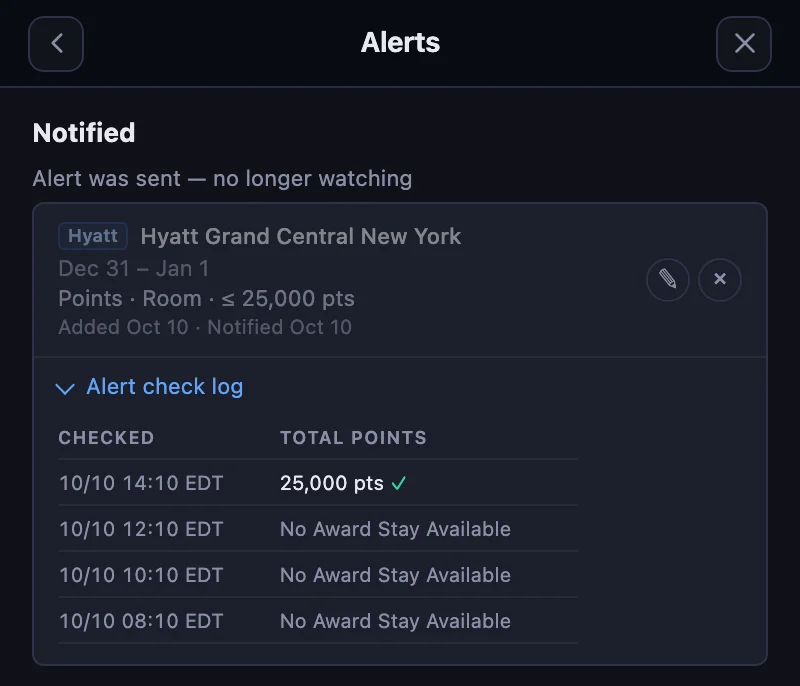
The log shows the price before it reaches your target, too, so you can see how the dates are moving and decide whether to keep waiting or change your limit.
Step 4: The email tells you what matched
When a check matches, you get an email with the stay and what was found:
- The subject names the hotel and the dates, such as Hyatt Grand Central New York is available — Dec 31, 2026 – Jan 1, 2027.
- The result shows the points found and your target.
- Book with points (or Book with cash on a cash alert) opens the stay on hyatt.com.
- Manage alert and View check log open that alert on hotelxray.app.
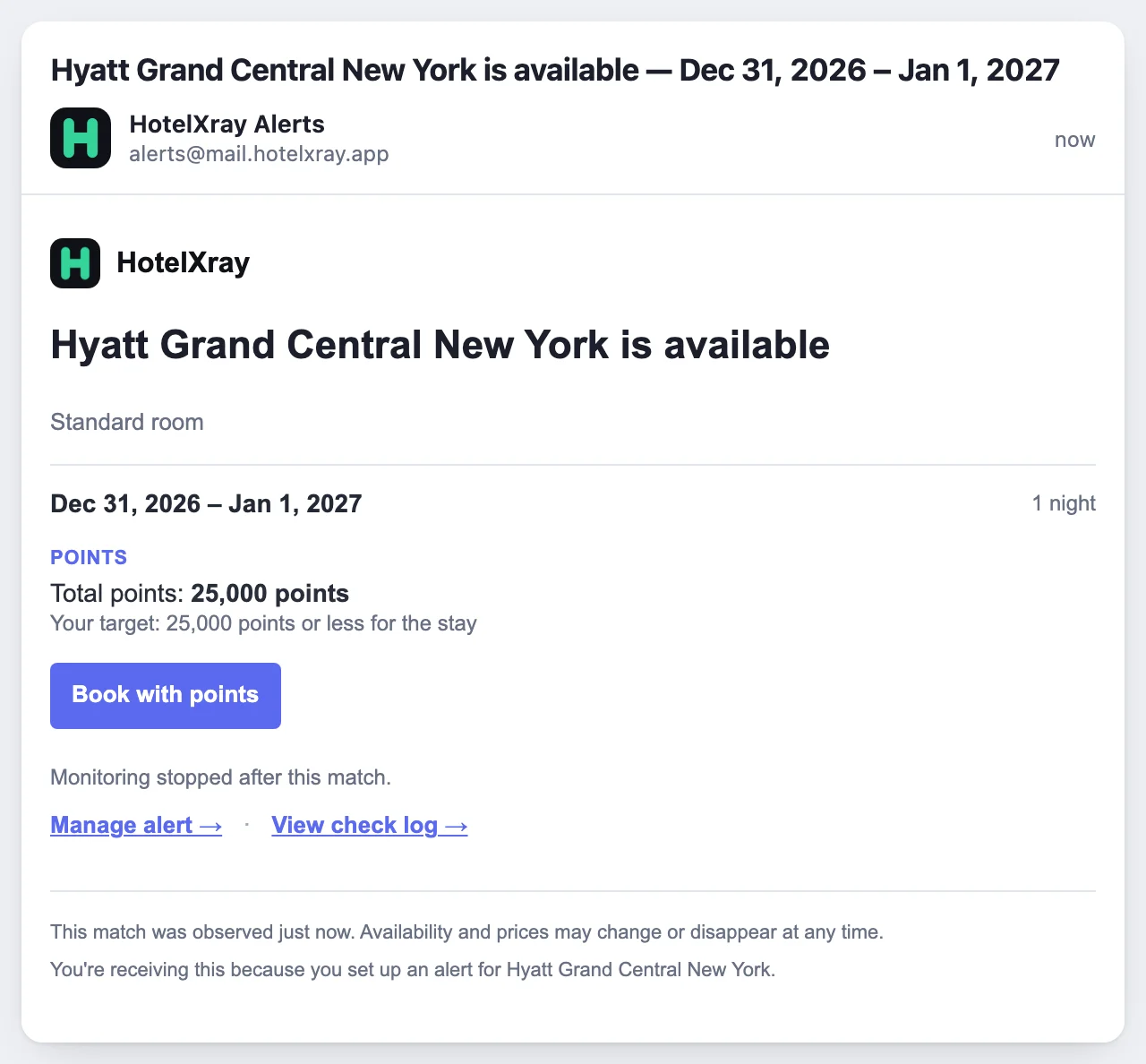
If several of your alerts match in the same run, they arrive in one email.
What happens after an alert fires
An alert without Keep watching moves to Notified and stops checking. With Keep watching on, it stays Active and keeps reporting changes.
An alert moves to Dates passed when none of its dates can be booked anymore. A flexible alert keeps going after the original check-in while a later start date is still possible.
Edit or delete alerts in the side panel or on your Alerts page.
Details worth knowing
- Alerts check a stay for one room and two adults.
- Cash limits use the average nightly rate, including fees and before taxes, so the number stays comparable across stays of different lengths.
- An alert watches one hotel. To compare several hotels on the same dates, set one alert for each, or use the panel’s search results, which price every hotel in your search.
Explore calendars, suite comparisons and lounges in the Hyatt product overview. The same extension also has rate and award alerts for Marriott, Hilton and IHG.
See more when you search Hyatt, Marriott, Hilton or IHG
Compare cash and points across the month, check lounge details, and create rate or award alerts.
Add HotelXray to Chrome