
HotelXray Blog
HotelXray Now Supports Hyatt, Marriott, Hilton and IHG
One Chrome side panel for Hyatt, Marriott, Hilton and IHG. Compare points and cash across a month, check rooms and lounges, and set alerts on all four.
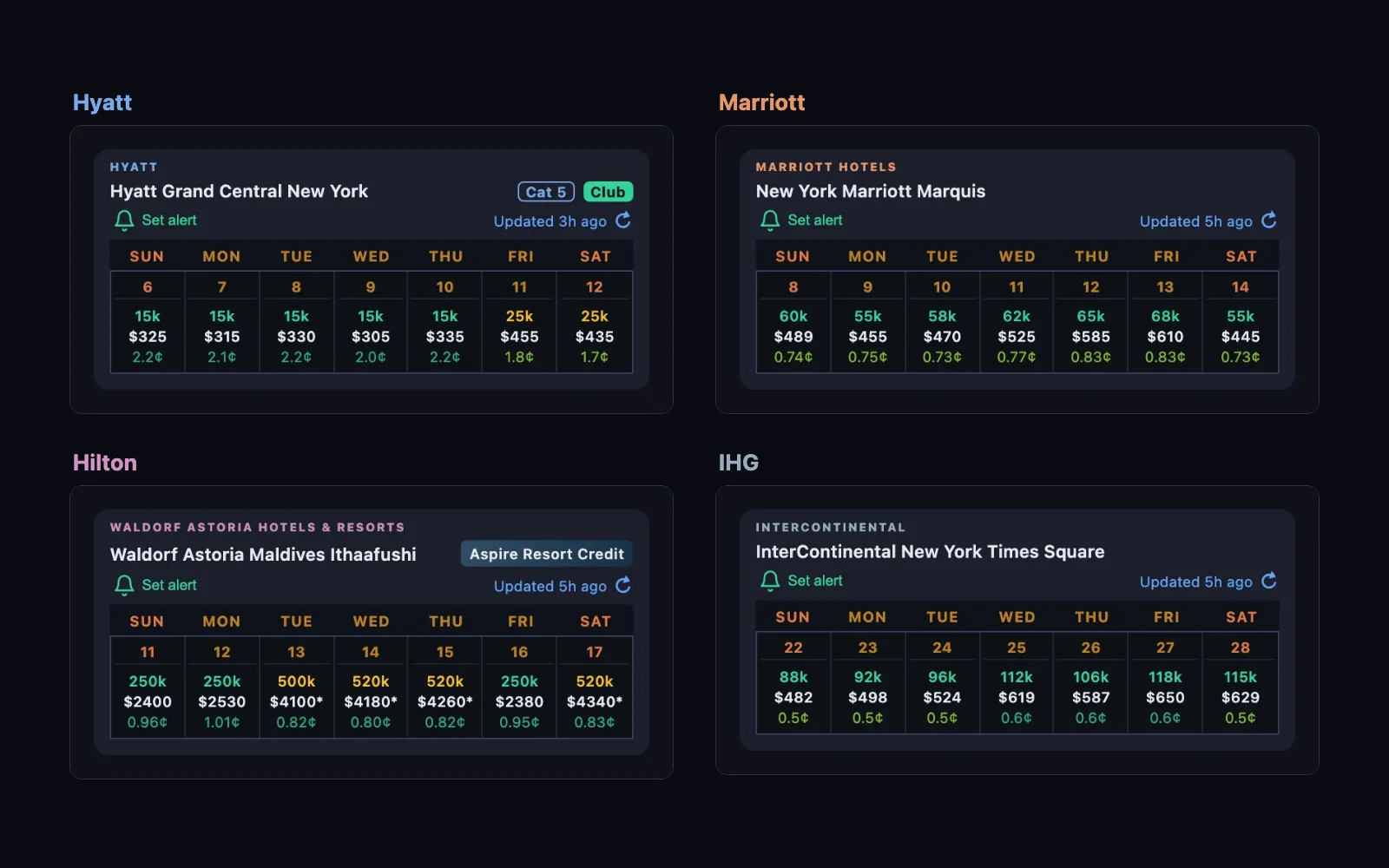
HotelXray now works with all four major hotel chains: Hyatt, Marriott, Hilton and IHG. It is one Chrome extension with one side panel, so you can price the same trip in points and cash on hyatt.com, marriott.com, hilton.com and ihg.com without switching tools.
Most features work on every program. A few follow one chain’s own award rules. Here is what HotelXray does on each:
| Hyatt | Marriott | Hilton | IHG | |
|---|---|---|---|---|
| Month calendar | ✓ | ✓ | ✓ | ✓ |
| Search results | ✓ | ✓ | ✓ | ✓ |
| Flexible dates | ✓ | ✓ | ✓ | |
| Rooms for a night | ✓ | ✓ | ✓ | ✓ |
| Award filter | Room types, SUA | Standard, Upgraded | Standard, Premium | |
| Lounge reports | ✓ | ✓ | ✓ | |
| Alerts | ✓ | ✓ | ✓ | ✓ |
| SUA alerts | ✓ |
Month calendar
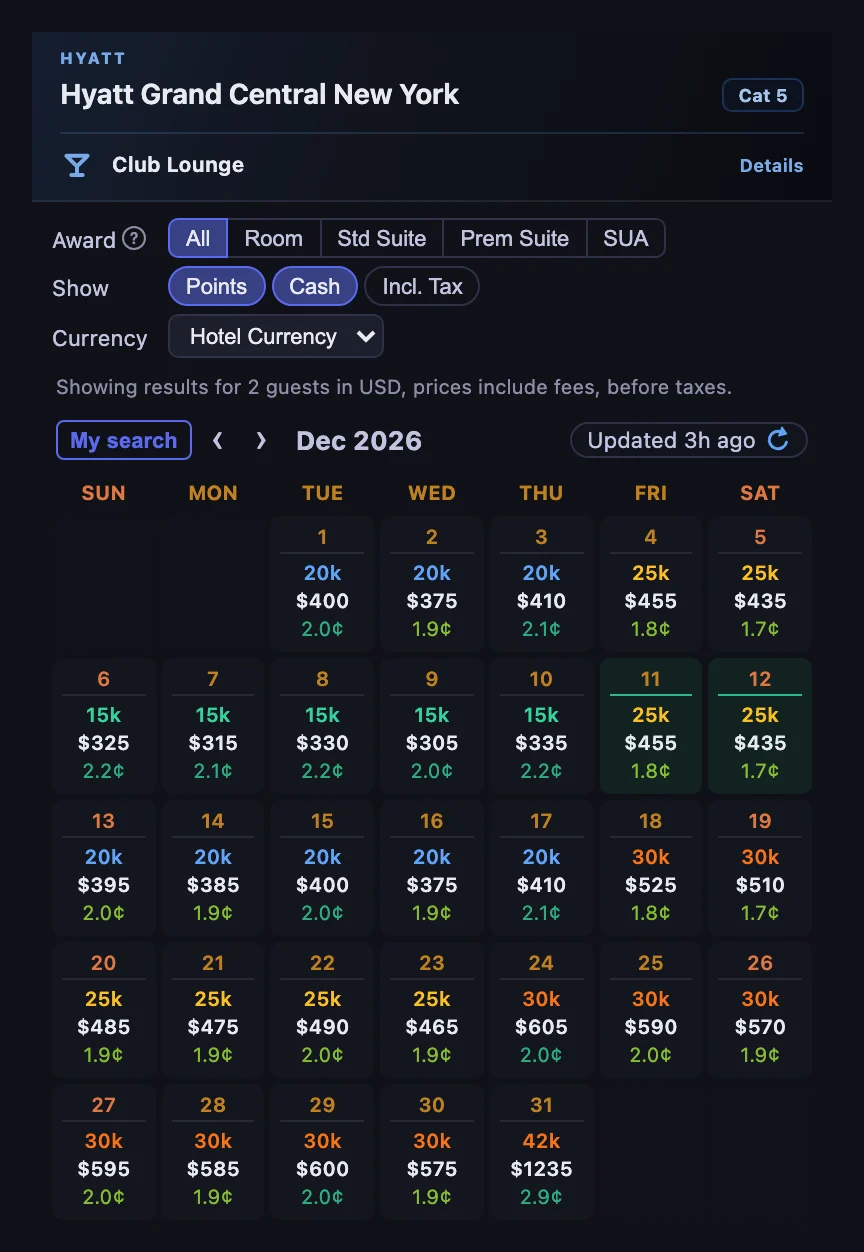
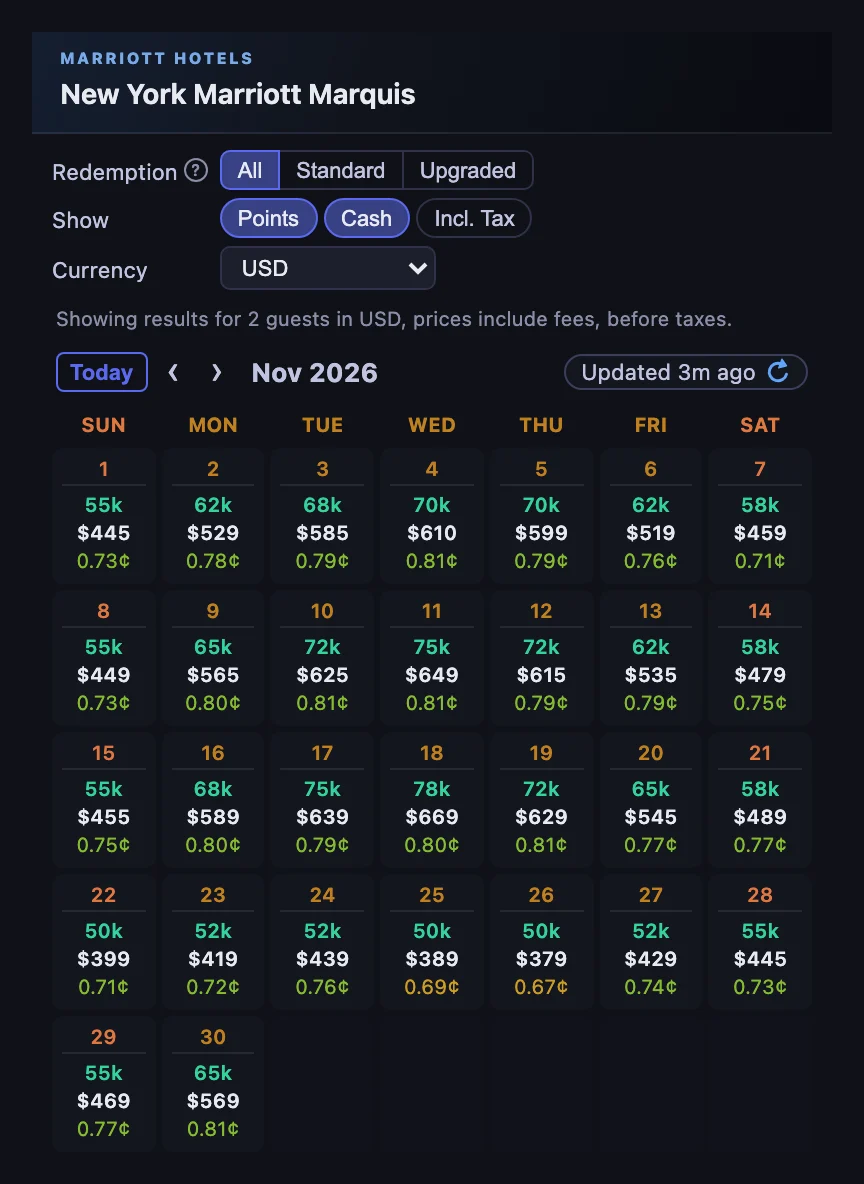
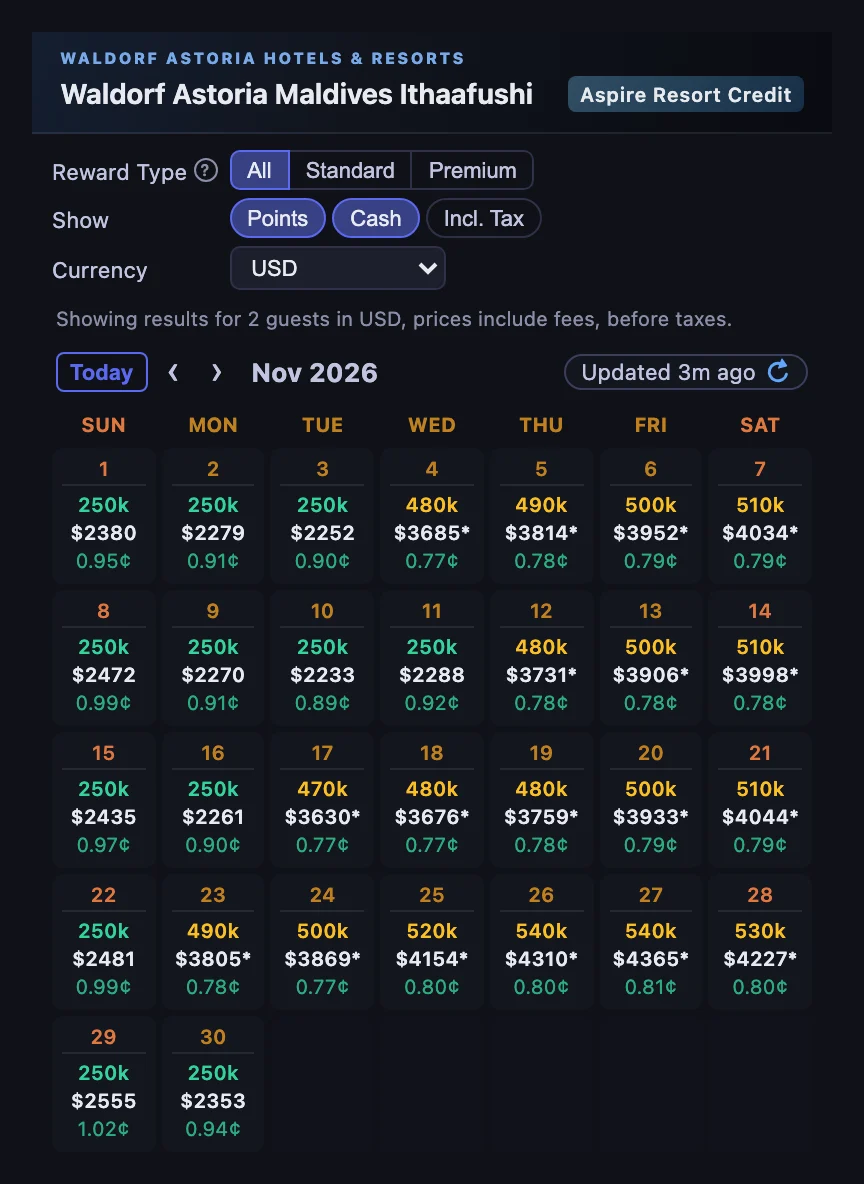
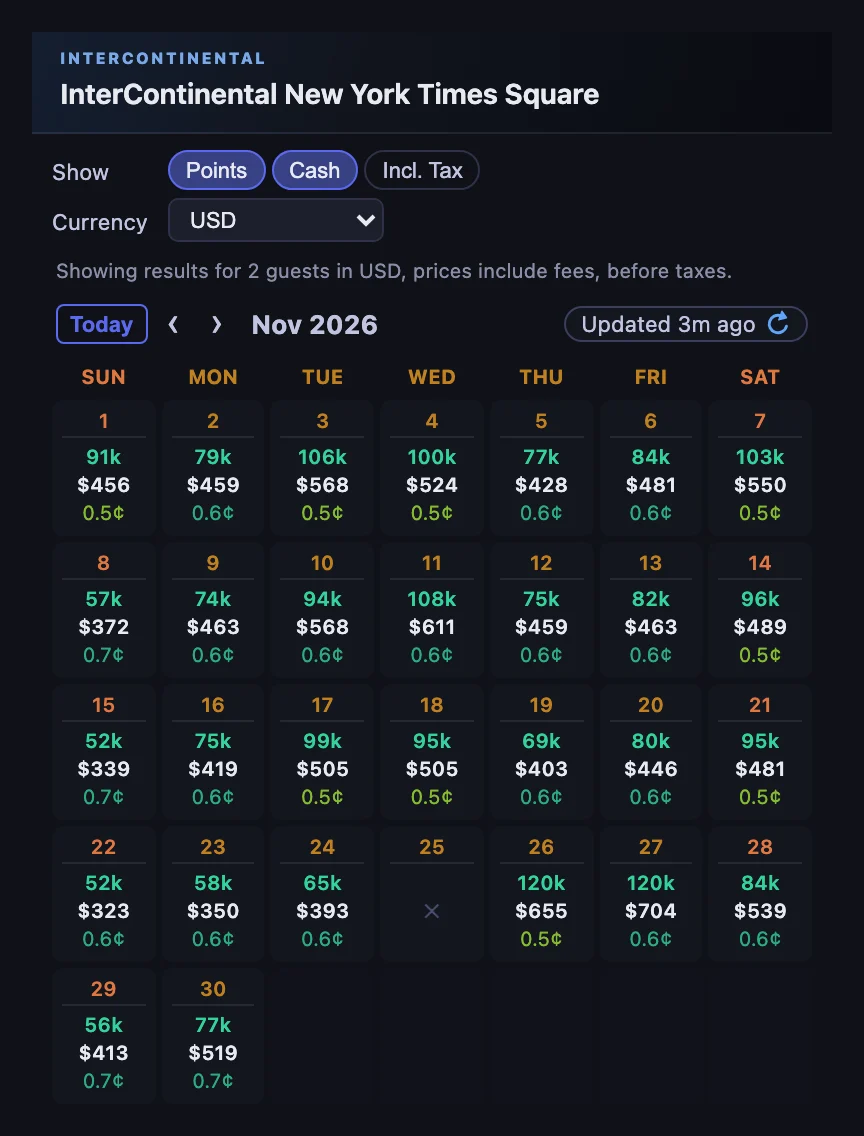
Open a hotel on any of the four websites and HotelXray shows the month: the points price, the cash rate and the cents per point (CPP) for every night. Stronger redemption values are shaded green, so a good night stands out before you read a single number. Refresh any time you want a fresh rate check, free and with no quotas.
The calendar reads each program’s prices the way that program sells them. On Hyatt, each night pairs the award with the cash rate for the same room. On Hilton, a night with only a Premium Room Reward shows that higher price. On IHG, each night shows the lowest Reward Night with that room’s cash rate, and a * marks a night when another room is cheaper in cash.
Search results
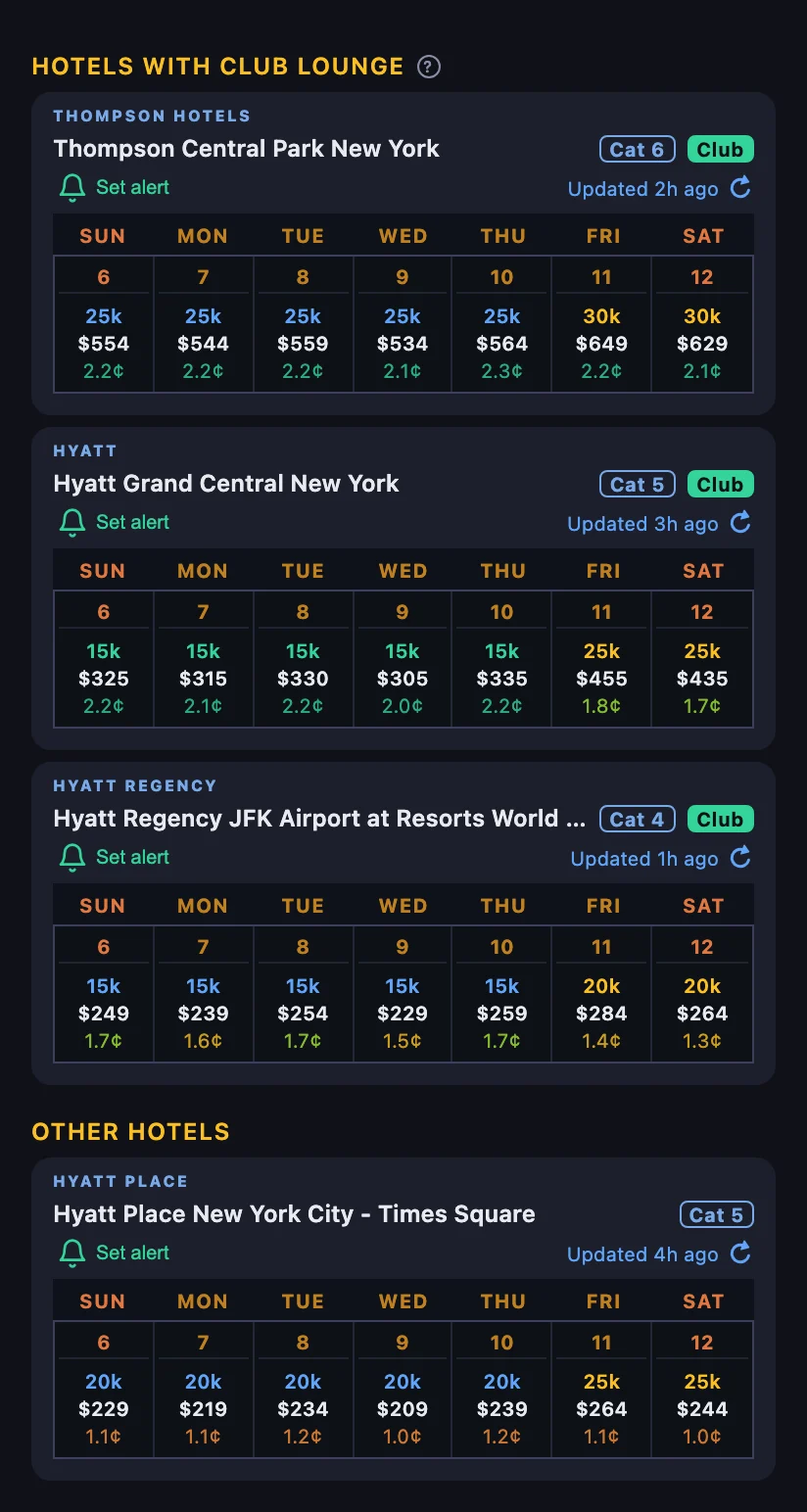
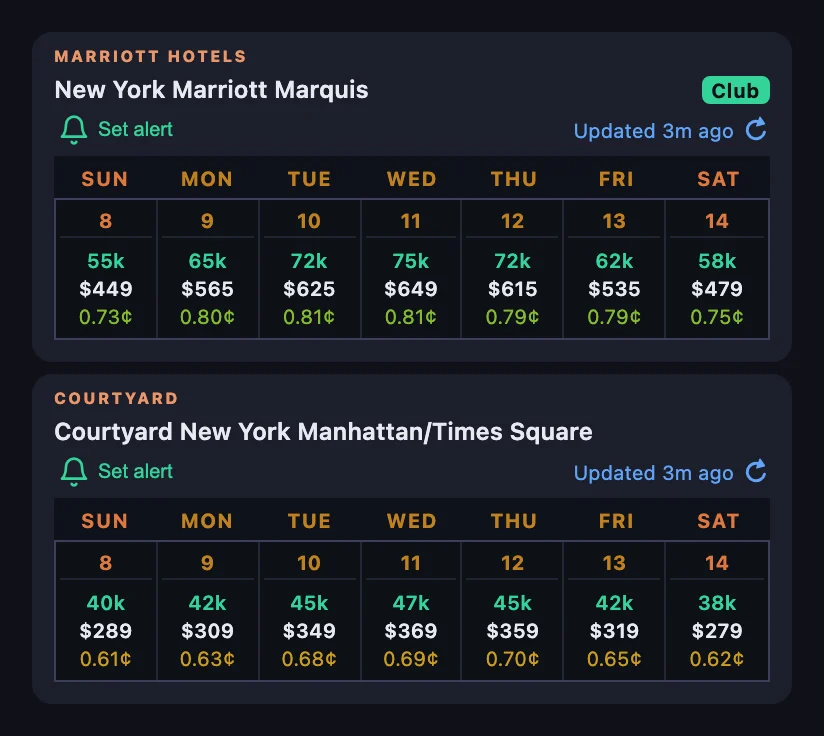
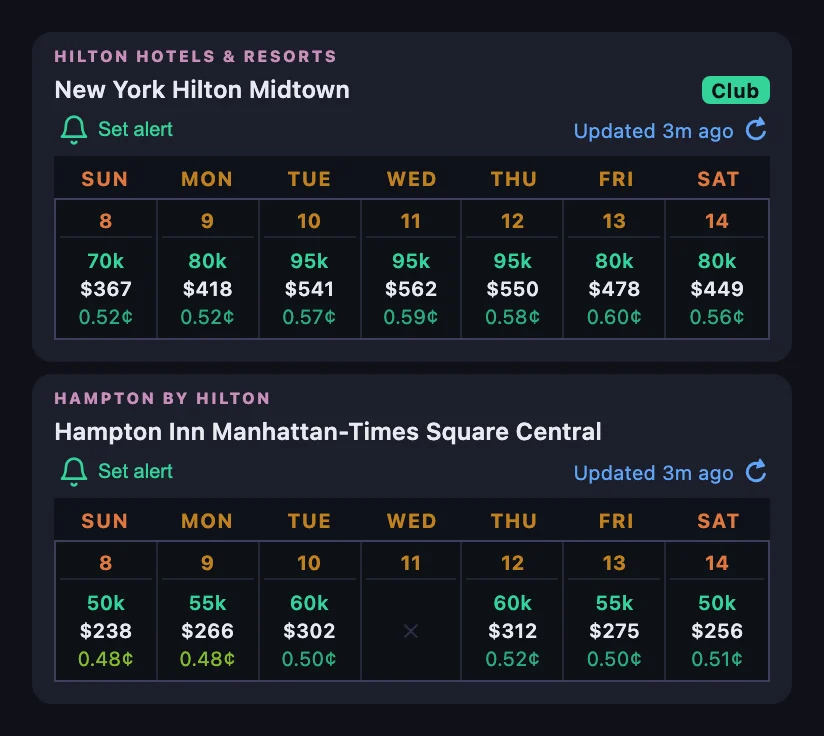
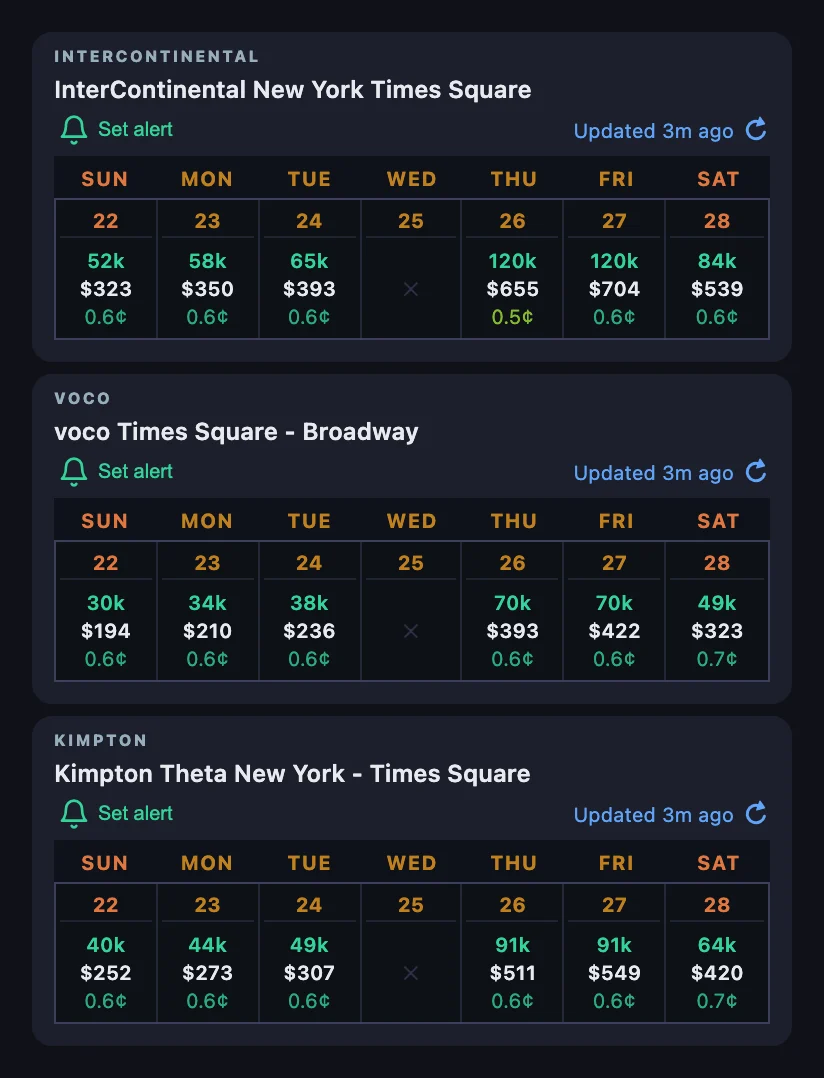
On a search page, every hotel in the panel gets a week of points, cash and CPP for your dates, so you can compare the hotels on your list without opening each one. Sold-out nights show ✕.
Lounge hotels are easy to spot. Hyatt puts hotels with a researched club lounge at the top of the list, and Marriott and Hilton mark them with a Club badge.
Flexible dates
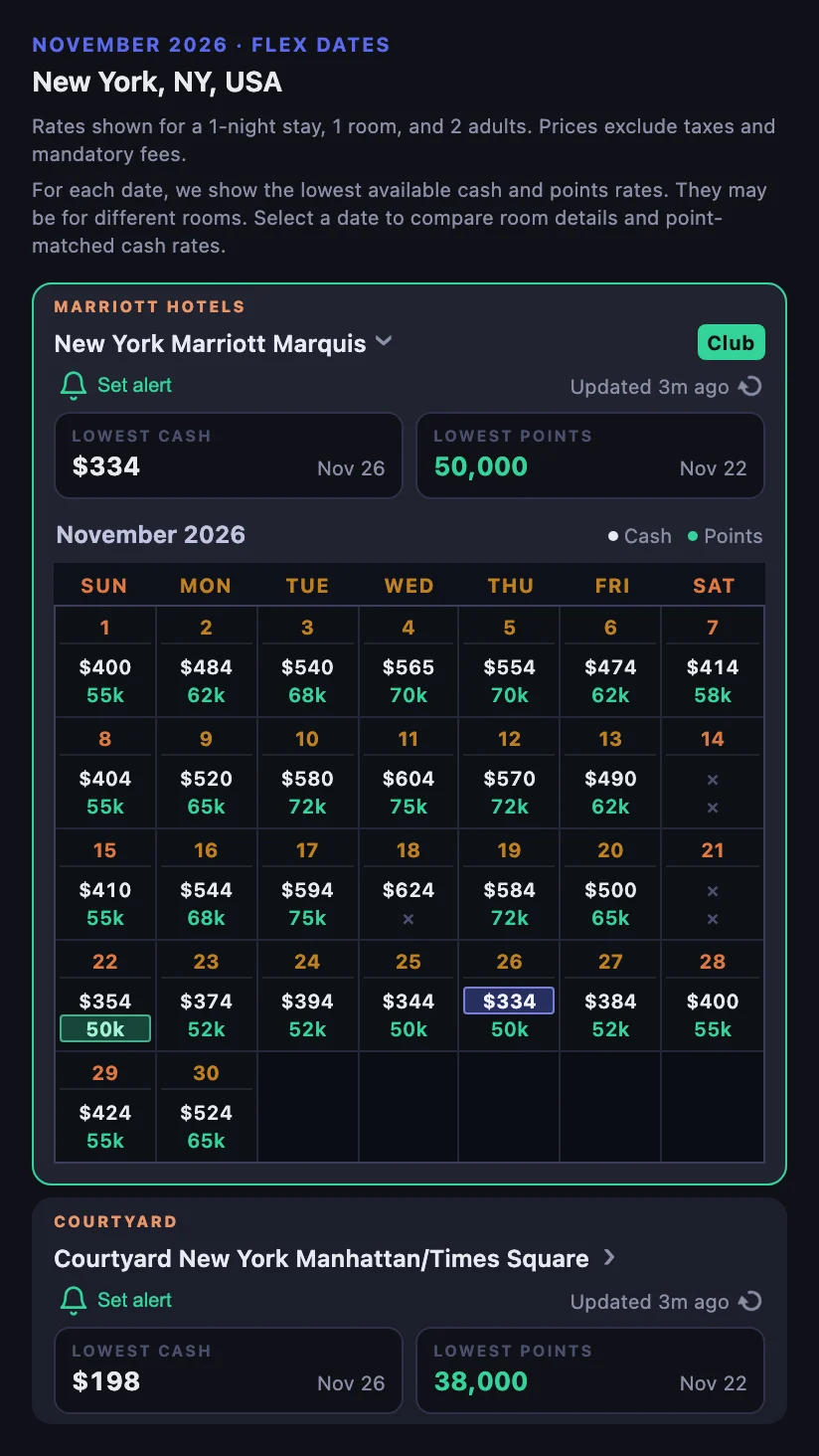
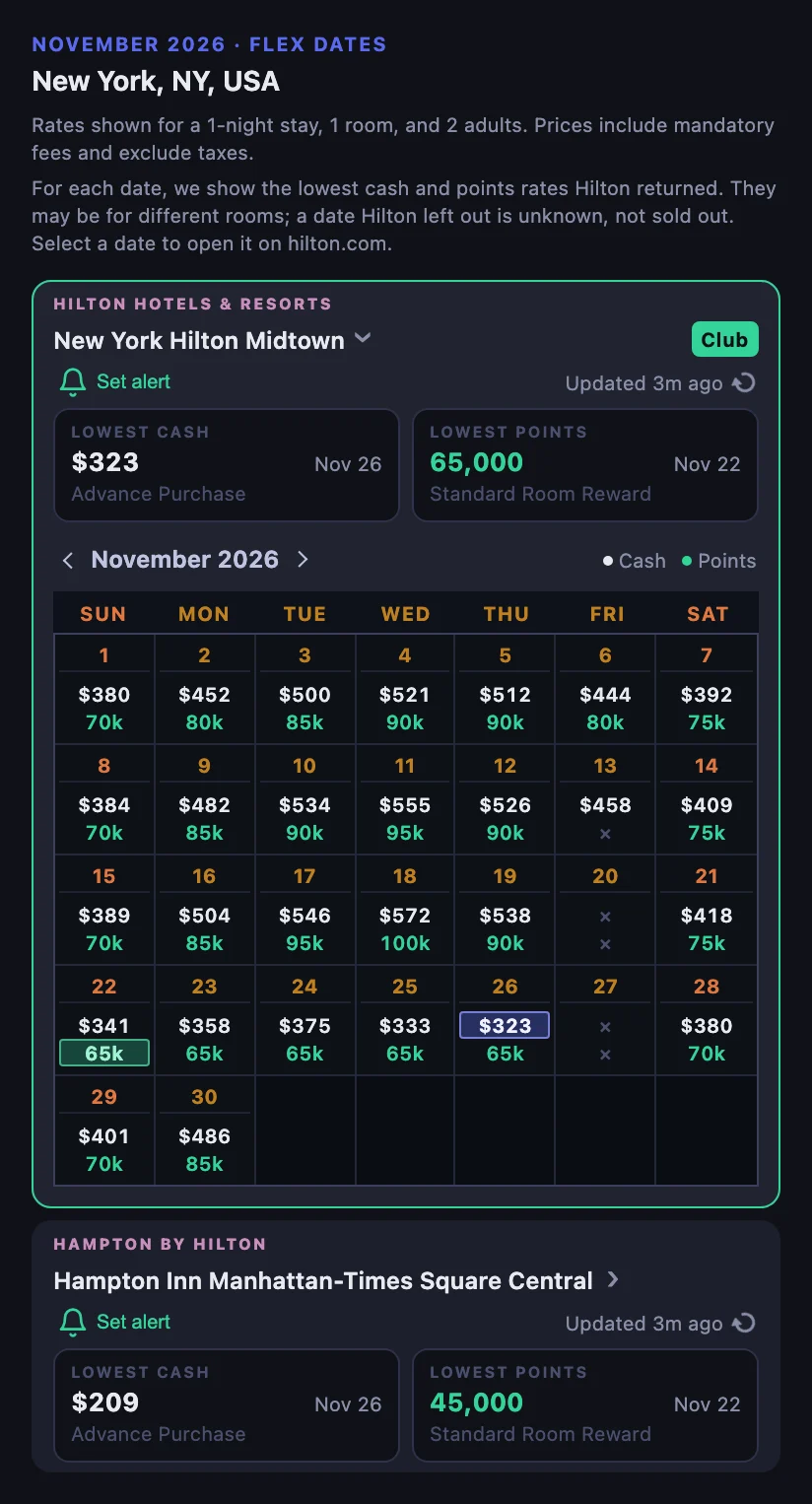
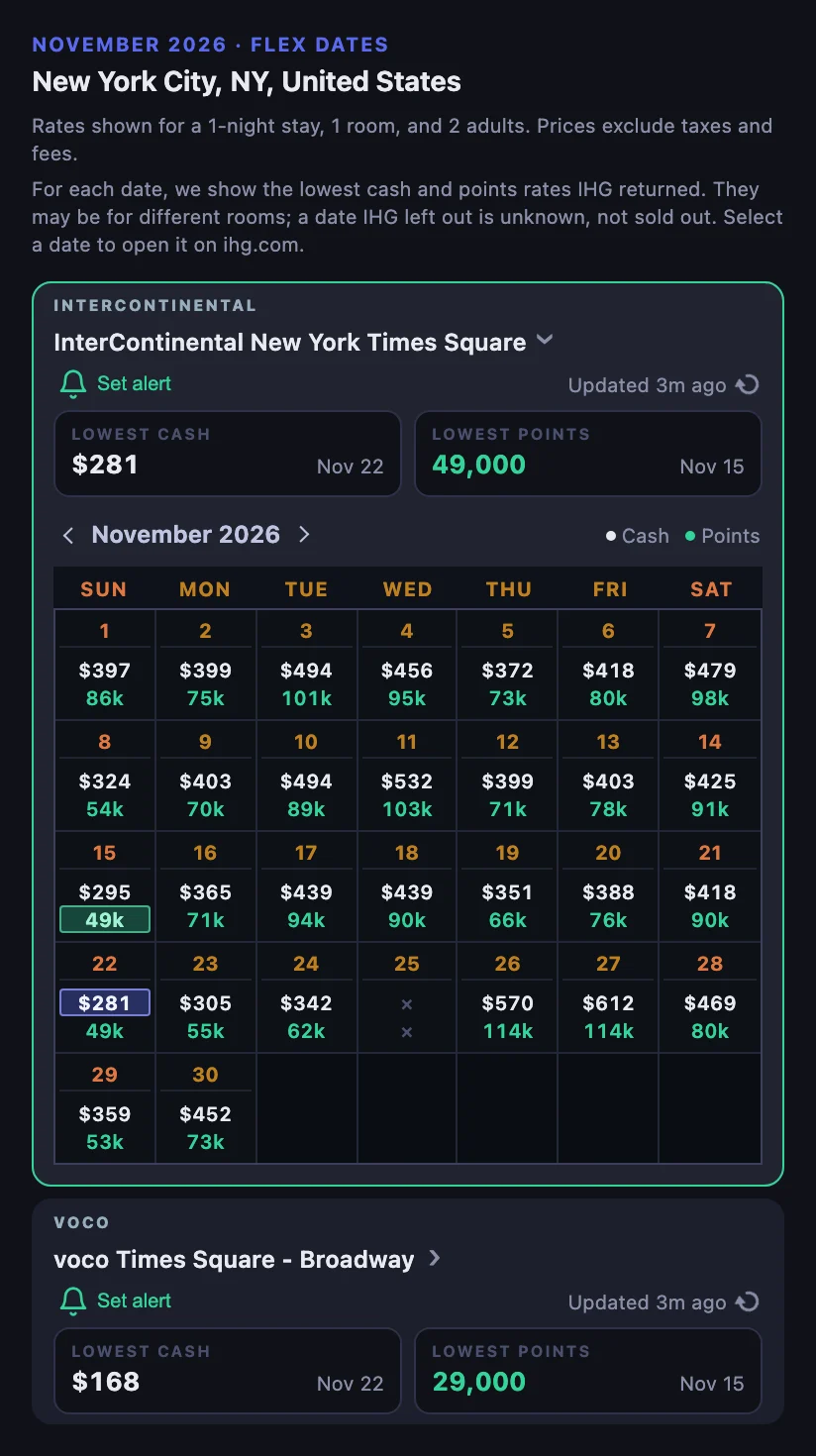
On Marriott, Hilton and IHG, a flexible-date search in HotelXray shows each hotel’s lowest cash rate and lowest points price for the month, with the date each one falls on. Open a hotel to see its whole month, then pick a date to open it on the hotel’s website.
Rooms for a night
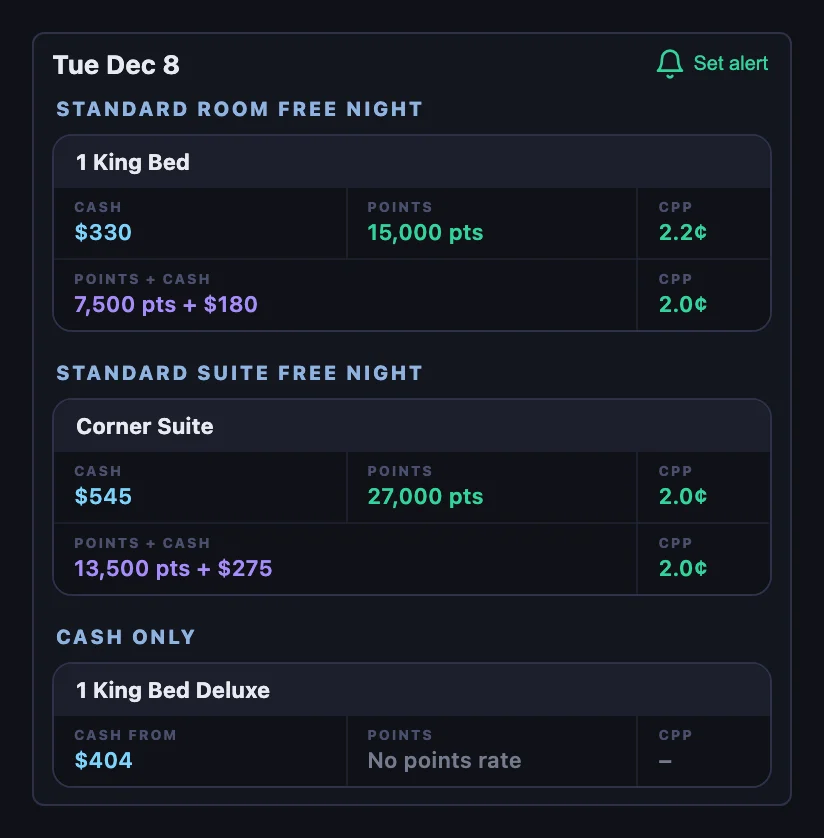
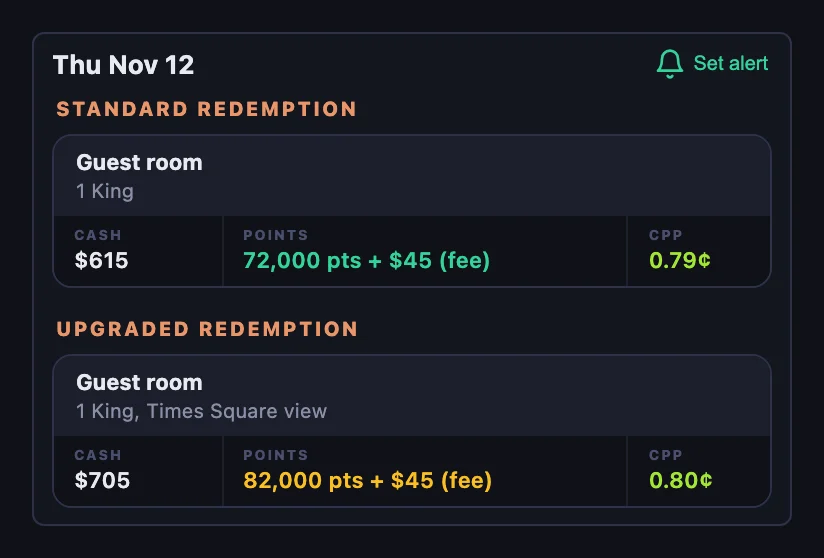
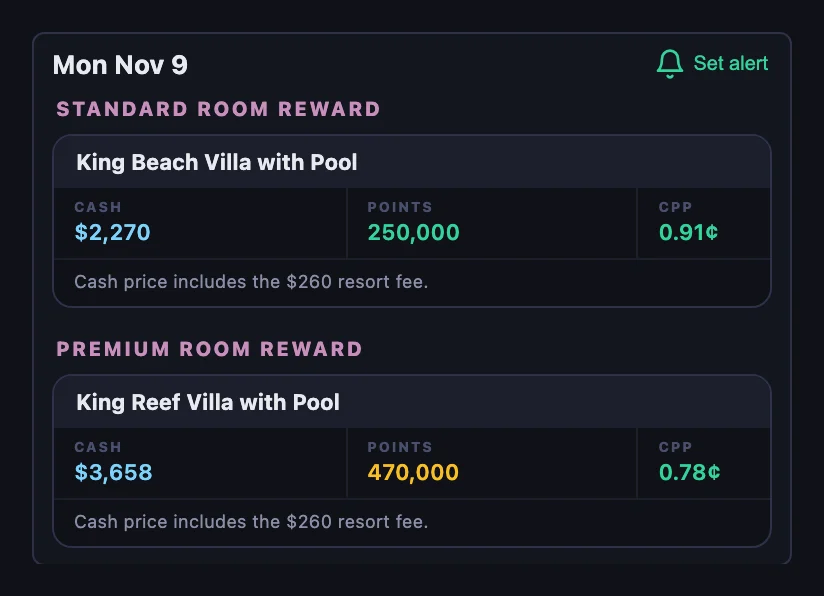
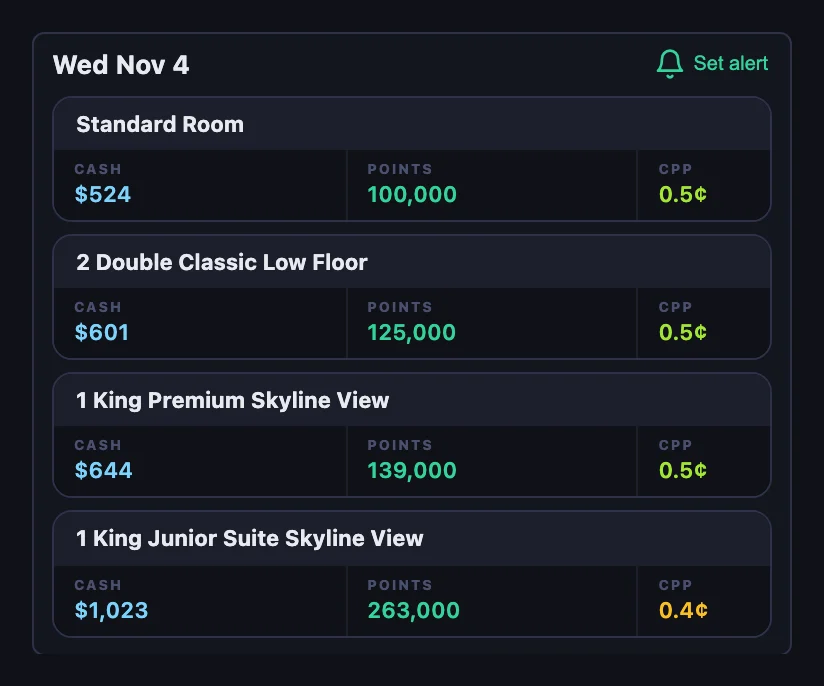
Pick a date to see that night’s rooms. Each room shows its own cash rate, its points price and the CPP between them, so a suite or premium room is judged against the room it actually buys, not the cheapest room in the hotel.
The rooms are grouped the way each program sells them. Hyatt groups them by award type and adds Points + Cash where Hyatt offers it. Marriott splits standard and upgraded redemptions and shows Points + Cash where offered. Hilton splits Standard and Premium Room Rewards, with rooms sold only for cash after them. IHG lists every room cheapest first, each with its own Reward Night price.
Award filter
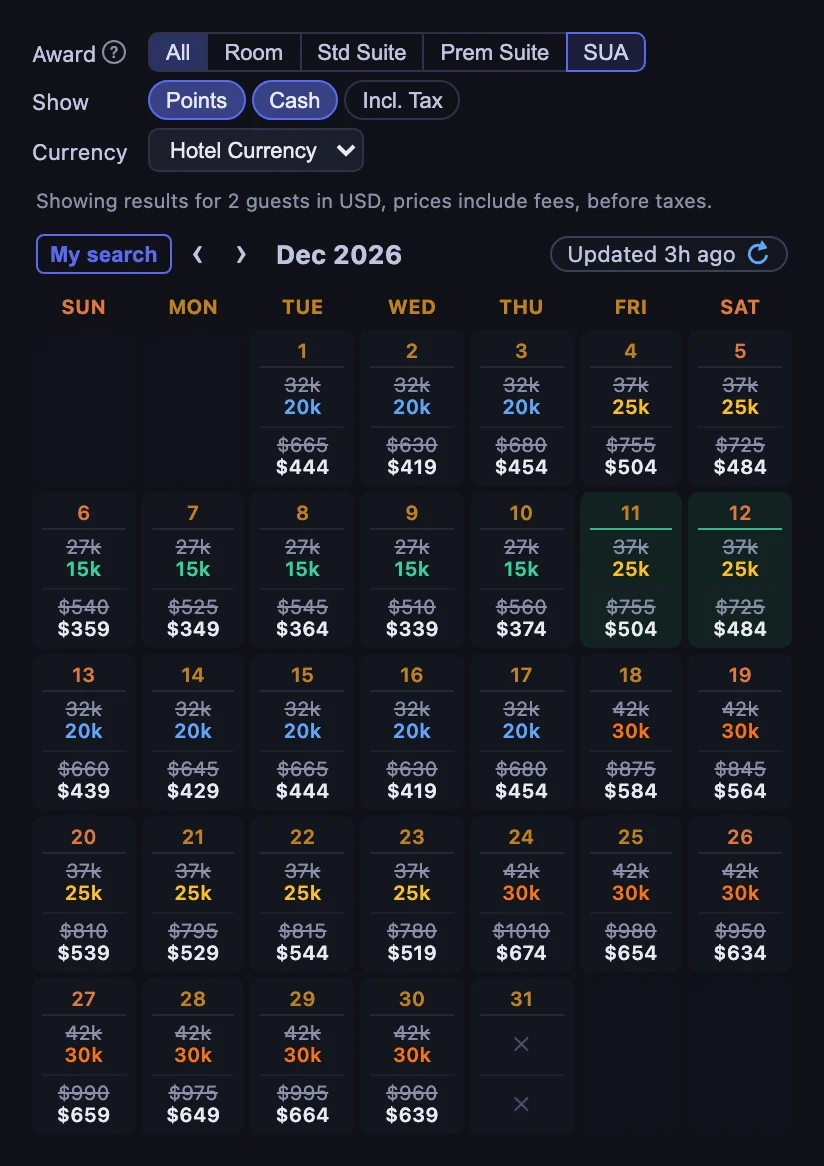
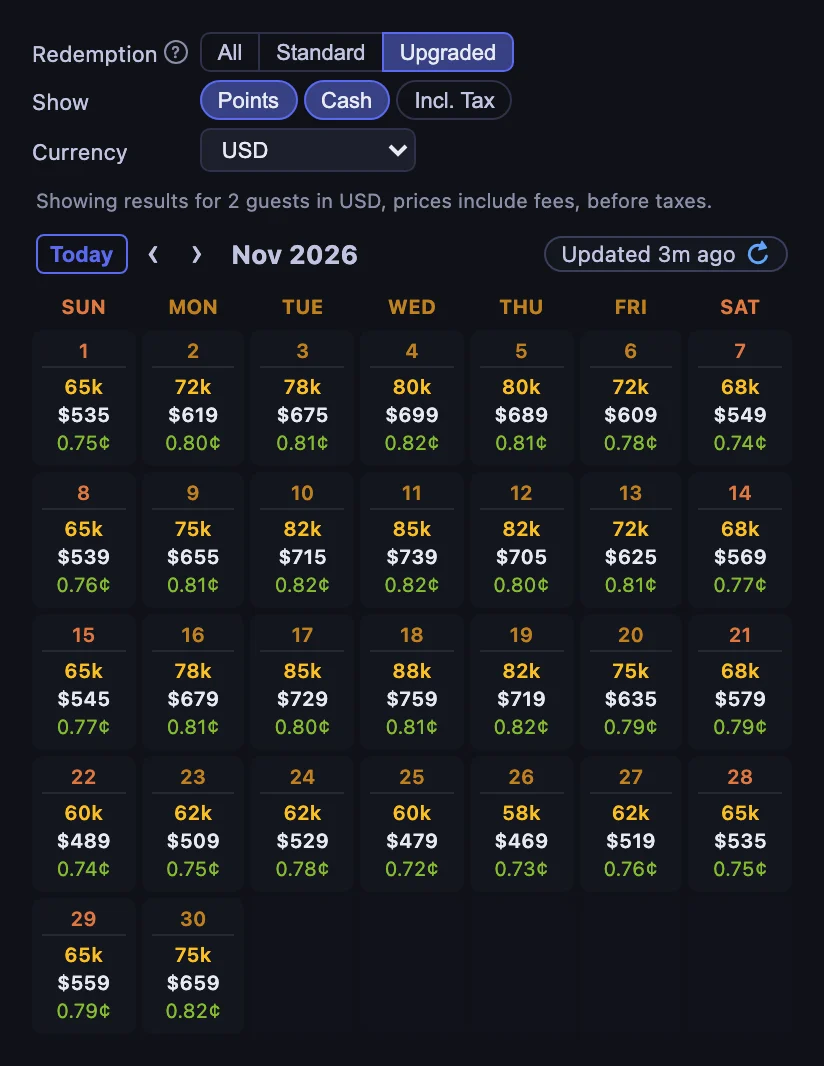
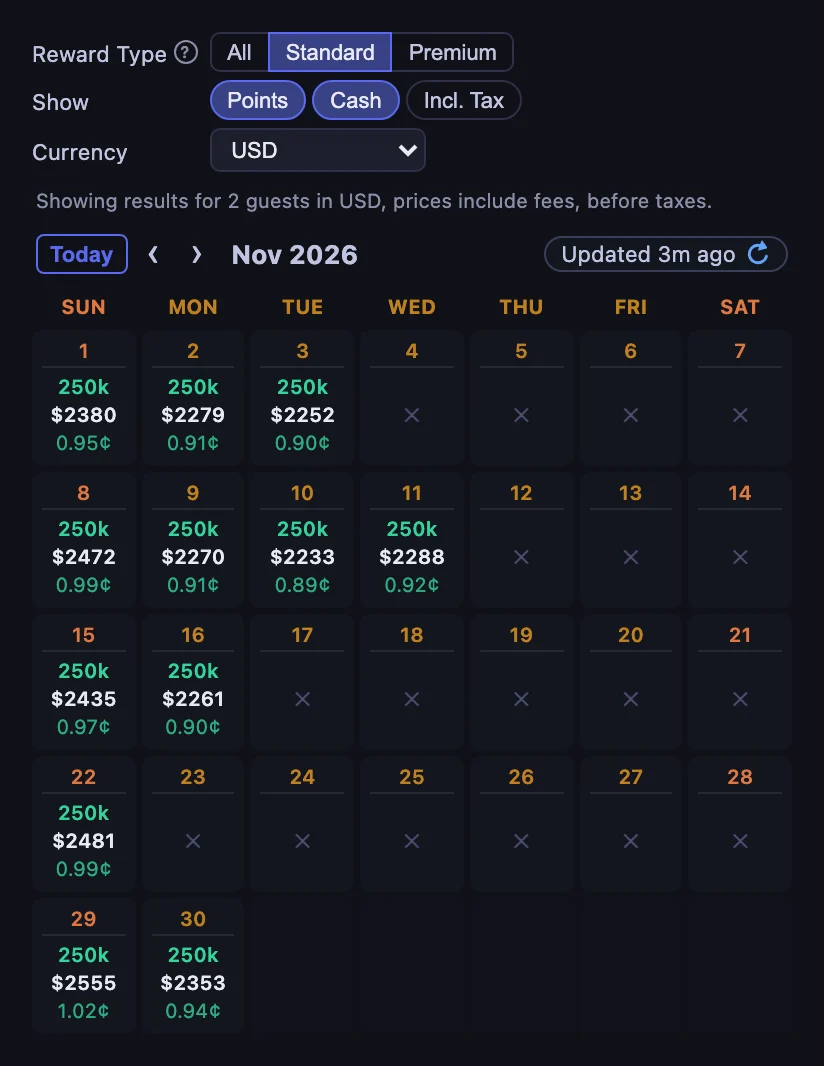
Hyatt, Marriott and Hilton each sell more than one kind of award, and a filter above the calendar shows only the one you would book.
- Hyatt’s Award tabs switch between All, Room, Std Suite, Prem Suite and SUA. The SUA tab marks the nights where a Suite Upgrade Award applies, with the suite’s price struck through above what you pay with the upgrade.
- Marriott’s Redemption filter shows All, Standard or Upgraded redemptions.
- Hilton’s Reward Type filter shows All, Standard or Premium Room Rewards.
IHG prices a single Reward Night for each room, so it needs no filter.
Lounge reports
For Hyatt, Marriott and Hilton hotels, HotelXray has researched club lounge reports: location and hours, breakfast, evening food and drinks, guest restrictions and known closures. Read them next to the rates to decide whether a lounge is worth choosing one hotel over another.
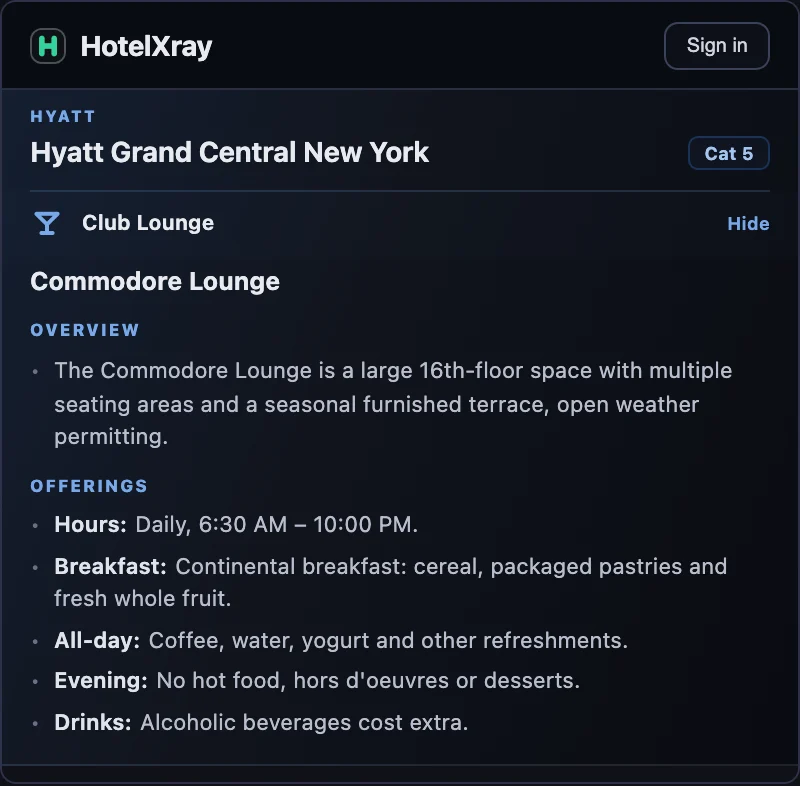
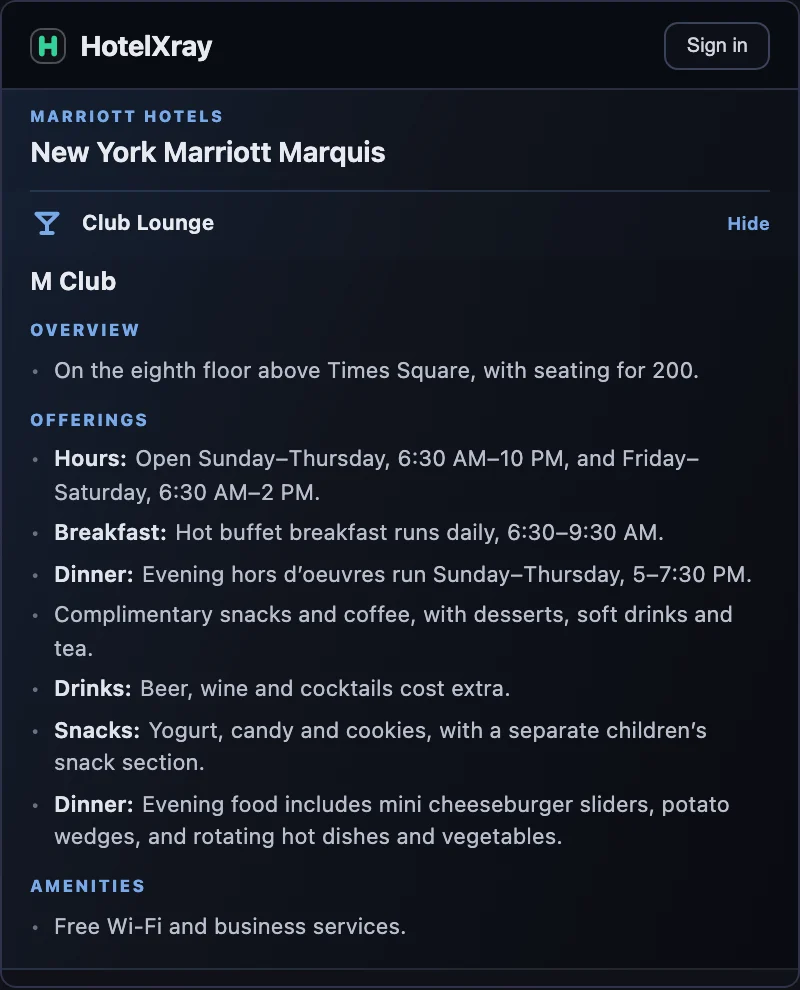
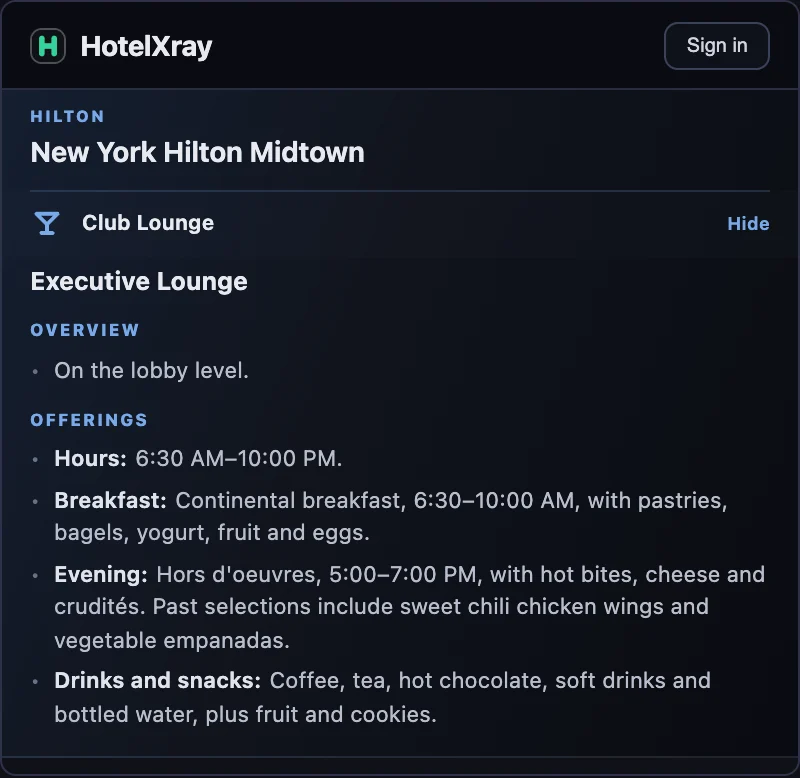
Each program’s guide explains how lounge access works there: Hyatt club lounges, Marriott club lounges and Hilton executive lounges.
Alerts
When the award or price you want isn’t there yet, set an alert from a search result or a calendar date. HotelXray keeps checking after you close the browser and emails you when it finds a match.
The form is the same on every program. Choose what to watch for: an award within a points budget, with the room or award types you would book, or a cash rate below your price. Choose exact dates, a day or two either side, or any single night in a range, and keep watching after a match to hear about the next drop. Alerts for all four programs share one list, in the side panel and on your account’s Alerts page, and every alert keeps an Alert check log of when each check ran and what it found.
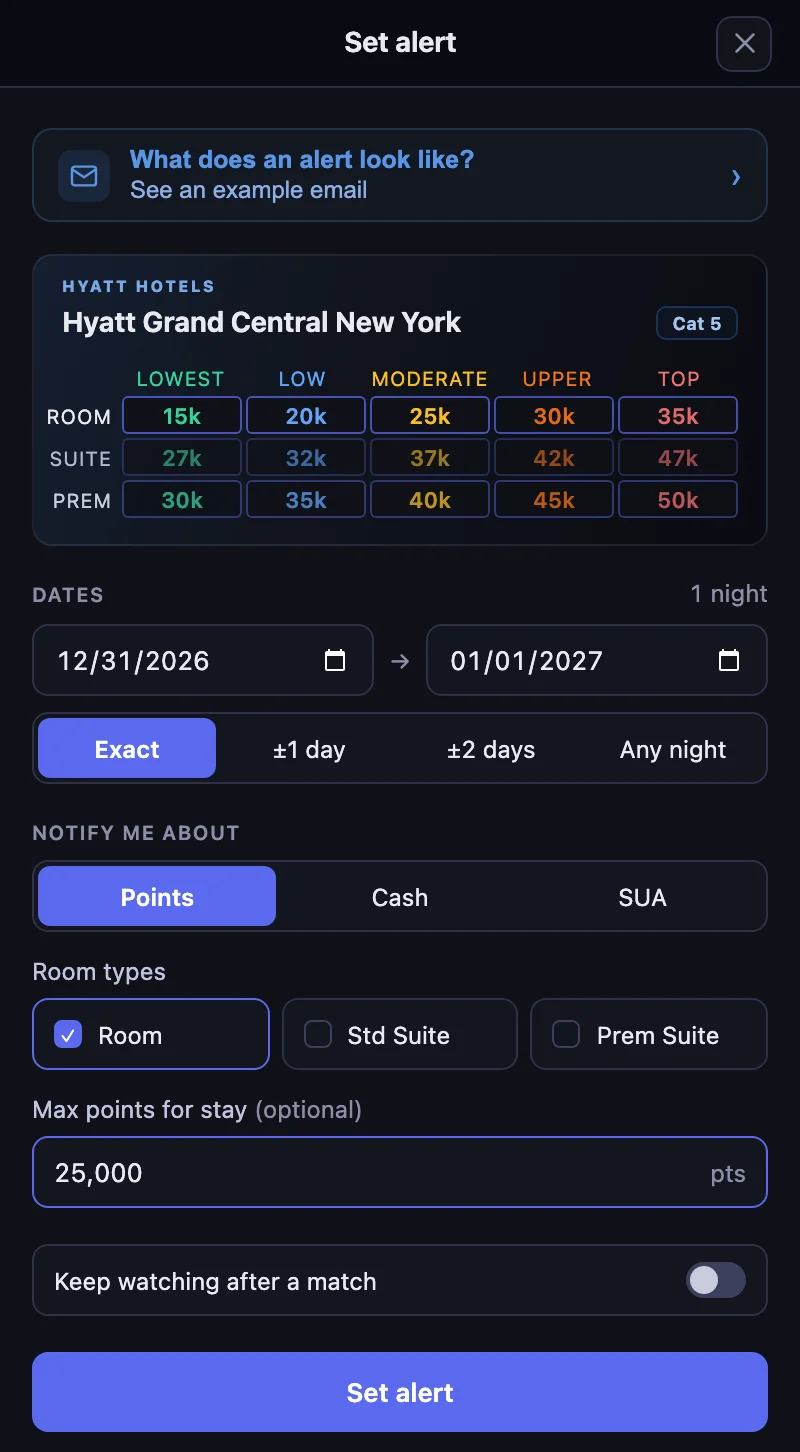
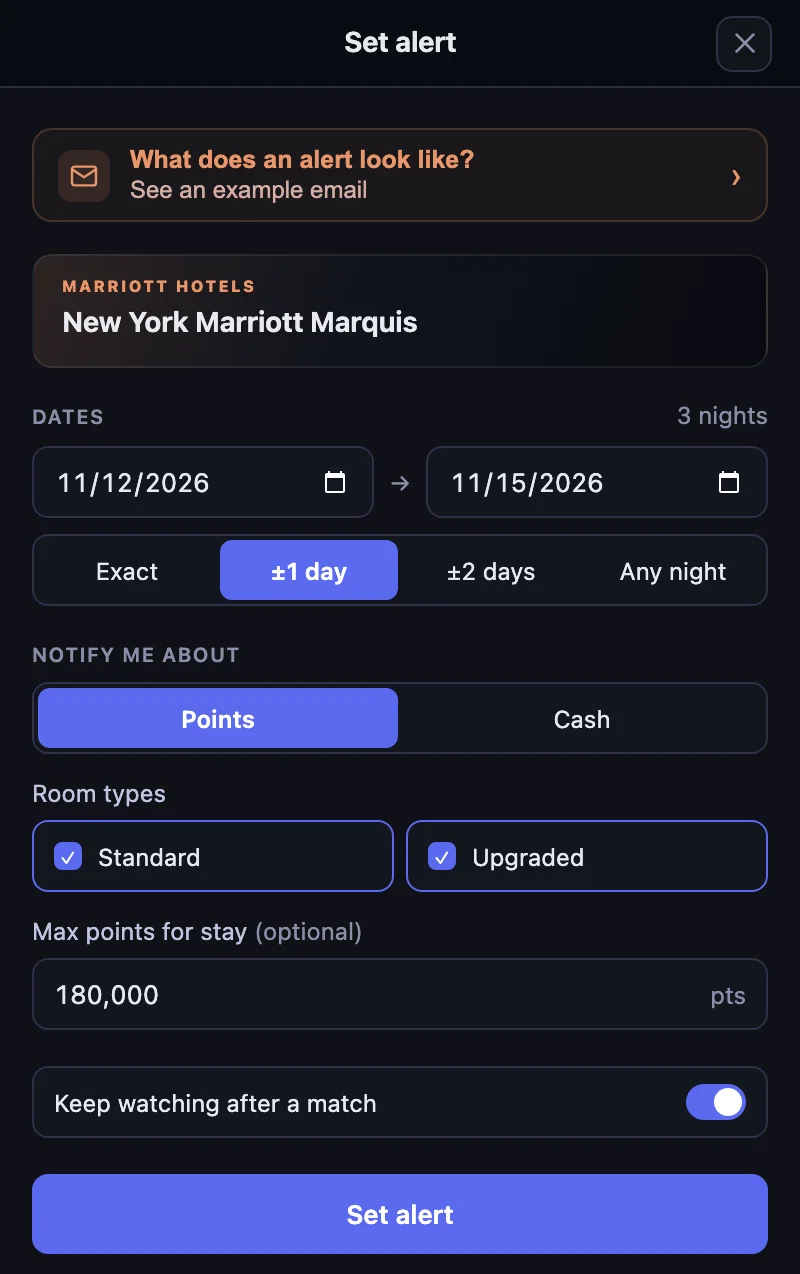
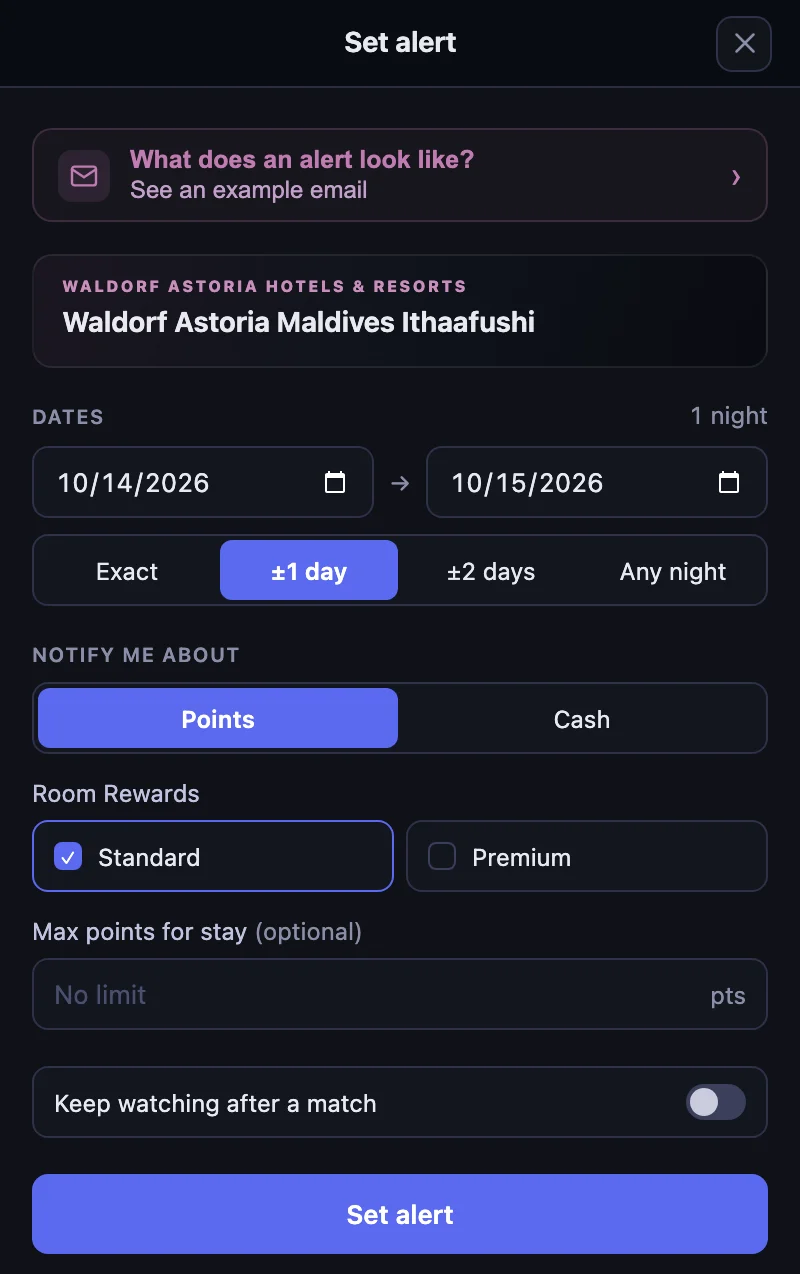
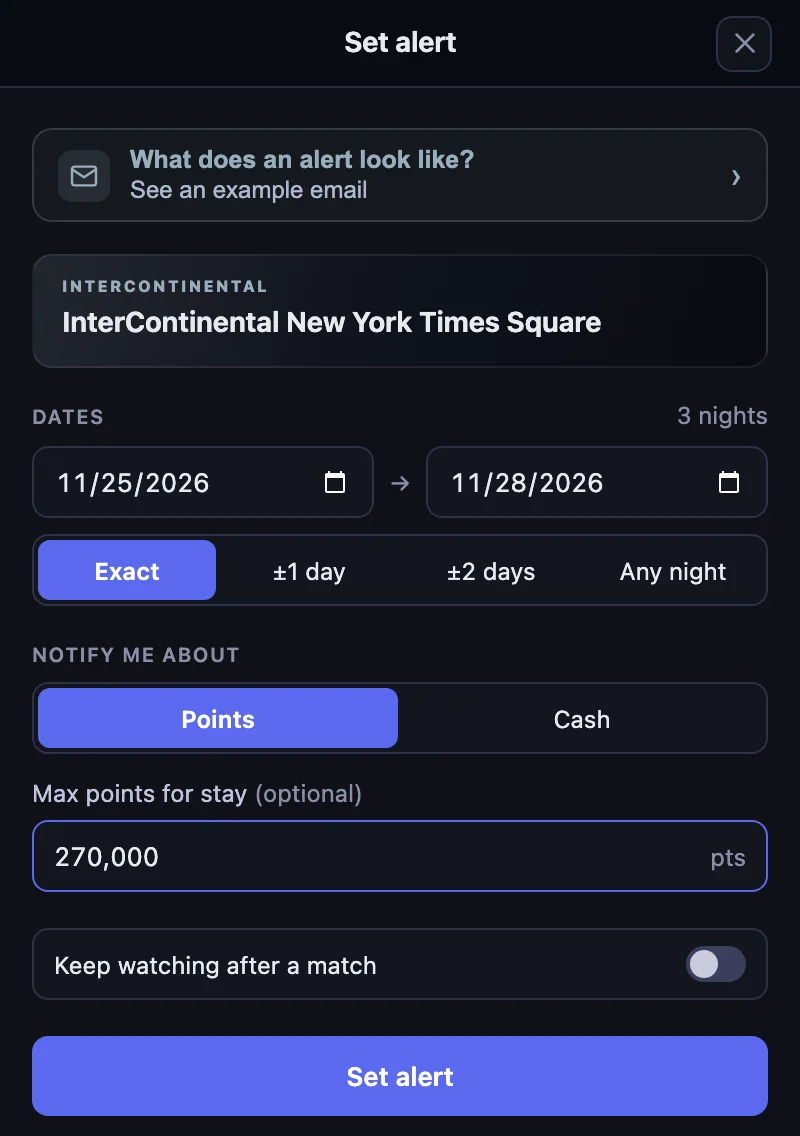
Each program has a walkthrough from setup to booking: Hyatt alerts, Marriott alerts, Hilton alerts and IHG alerts.
SUA alerts
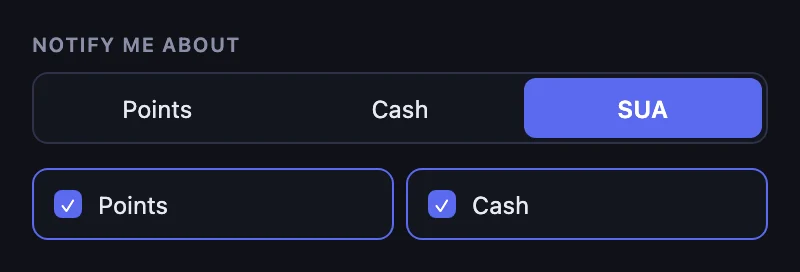
Hyatt alerts can also watch for a Suite Upgrade Award: choose SUA under Notify me about, then Points, Cash or both, and HotelXray emails you when an upgrade becomes available for your dates.
Get started
Install HotelXray, open the side panel and turn on access for the websites you use. You can enable one program or all four, and change your choice at any time.
Comparing rates, exploring rooms and reading lounge reports need no HotelXray account. Your email address is enough to save alerts and receive matches. HotelXray never asks for your hotel loyalty password.
See more when you search Hyatt, Marriott, Hilton or IHG
Compare cash and points across the month, check lounge details, and create rate or award alerts.
Add HotelXray to Chrome